

Finding the right talent can be tough. Sifting through countless resumes and hoping for the best is a gamble. That's why using skills-based assessment tools is now the smartest way to go.
In this article, we'll explore why these tools are a must-have and what makes a great one. We'll also provide a quick rundown of the best options available.
Then, we'll dive into the top 10 assessment tools, including Adaface, TestDome, and others, discussing their features, pros, cons, and pricing to help you make the right choice for your hiring needs. Finally, we will suggest our recommended tool.
Explore this post with:
Table of contents
Why Use Skills Assessment Tools?
What to Look for in a Skills Assessment Platform
Skills assessment tools: At a glance
1. Adaface
2. TestDome
3. Maki People
4. Codility
5. CodeSignal
6. Coderbyte
7. HackerRank
8. HireVue
9. TestGorilla
10. Testlify
Found the perfect tool?
Why Use Skills Assessment Tools?
Picture this: a mountain of resumes, a ticking clock, and the pressure to find the perfect candidate. Recruiters face an uphill battle sorting through applicants to pinpoint those with the right skills. This is where skills assessment tools come in, acting as your trusty Sherpa in the talent search.
These tools address key challenges. They provide a standardized way to evaluate candidates, ensuring fair comparisons across the board. They also help you quickly identify top talent by focusing on job-relevant skills. This saves you time and resources by filtering out candidates who don't meet the requirements.
In short, these tools offer:
What to Look for in a Skills Assessment Platform
When evaluating skills assessment platforms, recruiters should first consider its ability to accurately predict job performance. Does the tool truly reflect the on-the-job tasks and skills needed for success?
A great assessment tool should also provide detailed proctoring and security features. Features like webcam proctoring, IP tracking, and copy-paste disabling can maintain test integrity. These measures ensure you're evaluating true skill and not just someone's ability to find answers elsewhere.
Here are a few more key features to consider:
- Customizable branding: The platform should offer options to include your company logo and brand colors.
- Comprehensive Reporting: Look for platforms that offer PDF, Excel, and CSV reports for easy sharing and analysis.
- Integration Capabilities: Ensure the platform integrates with your existing ATS for a streamlined workflow. Check for ATS Integrations to make your life easier.
- Detailed Analysis: Evaluate if a platform provides skill-wise analysis or benchmarking features like the Aptitude Tests we offer, so that you can shortlist candidates.
Skills assessment tools: At a glance
Choosing the right skills assessment tool can feel like finding a needle in a haystack. Here’s a quick comparison to help you narrow down your options.
| Name | Best for | Standout feature | Pros | Cons | Free trial | Pricing |
|---|---|---|---|---|---|---|
| Adaface | Skills tests across diverse roles |
500+ skill-based assessments |
Strong proctoring and 500+ tests |
No take-home style lengthy assignments |
Yes | Credits based pricing starting $180/year |
| TestDome | General skills assessment needs |
Diverse question types |
Wide range of tests |
Lacks custom questions feature |
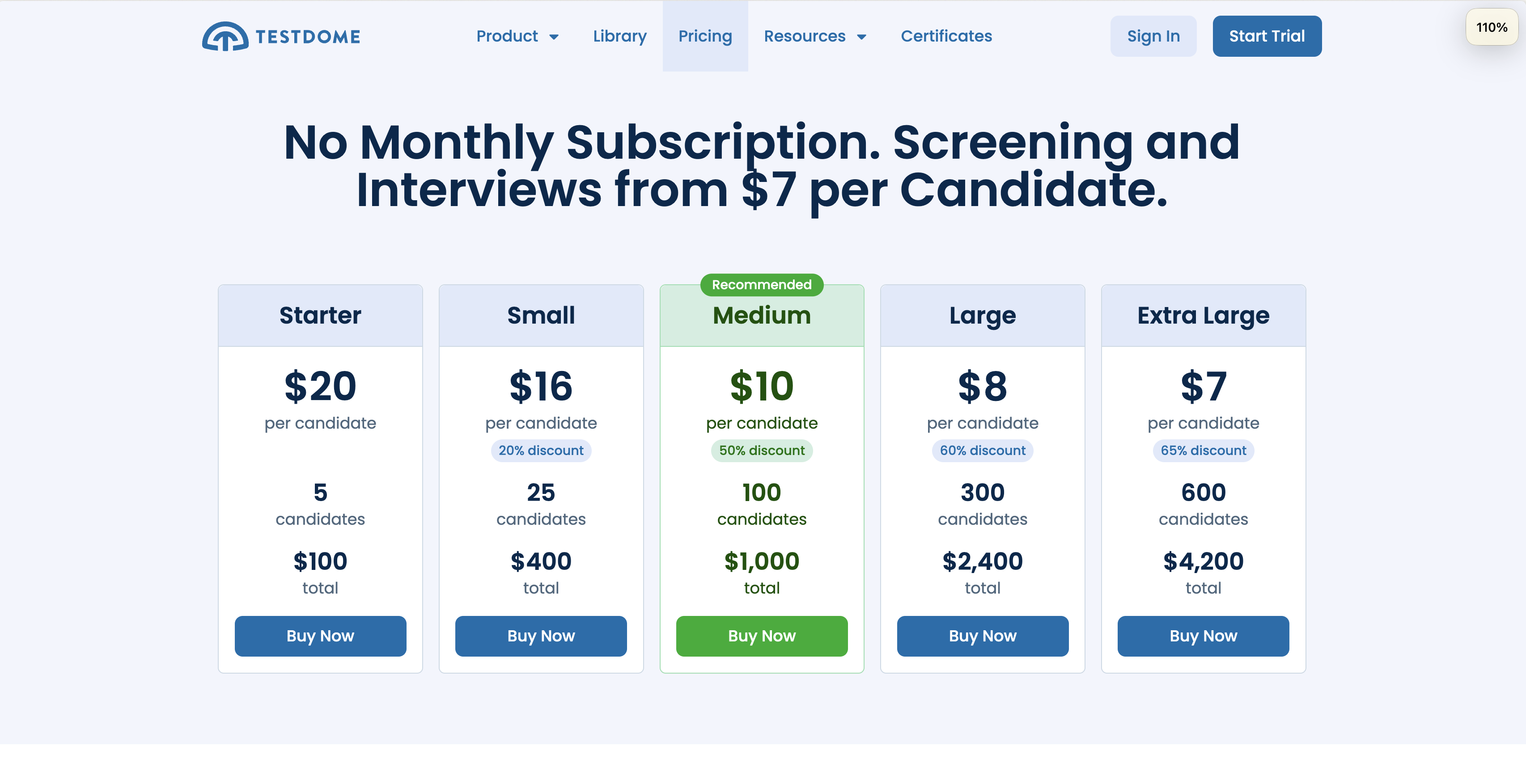
Yes | Starts at $100, $20 per candidate |
| Maki People | Assessing for role fit |
Focuses on personality |
Assesses personality traits |
No public pricing information |
No | Contact for pricing details |
| Codility | Assessing coding skills |
Code playback feature |
Strong focus on coding |
Lacks aptitude, business, typing tests |
Yes | Starts around $1200 per year |
| CodeSignal | Tech skill screening |
Fair ranking |
Skills based assessment |
No custom questions support |
No | Contact for pricing details |
| Coderbyte | Coding skills assessment |
Custom coding questions |
Ready-to-use tests |
No ATS integrations |
Yes | $199/month, Pay as you go |
| HackerRank | Technical hiring challenges |
Real-world coding challenges |
Focus on coding skills |
Easily googleable default questions |
Yes | Starts at $100 per month |
| HireVue | Video interviewing integrations |
AI-driven insights |
Integrates with video interviews |
Limited assessment type options |
No | Contact for pricing details |
| TestGorilla | Assessing many skill sets |
Offers personality tests |
Offers personality tests |
GPT can answer questions |
Yes | Starts at $75 per month |
| Testlify | Short skills assessments |
Short assessment time |
Ready-to-use tests |
Lacks skill-wise analysis |
Yes | Starts around $49 per month |
1. Adaface: Best for Assessing Diverse Skills with Strong Proctoring
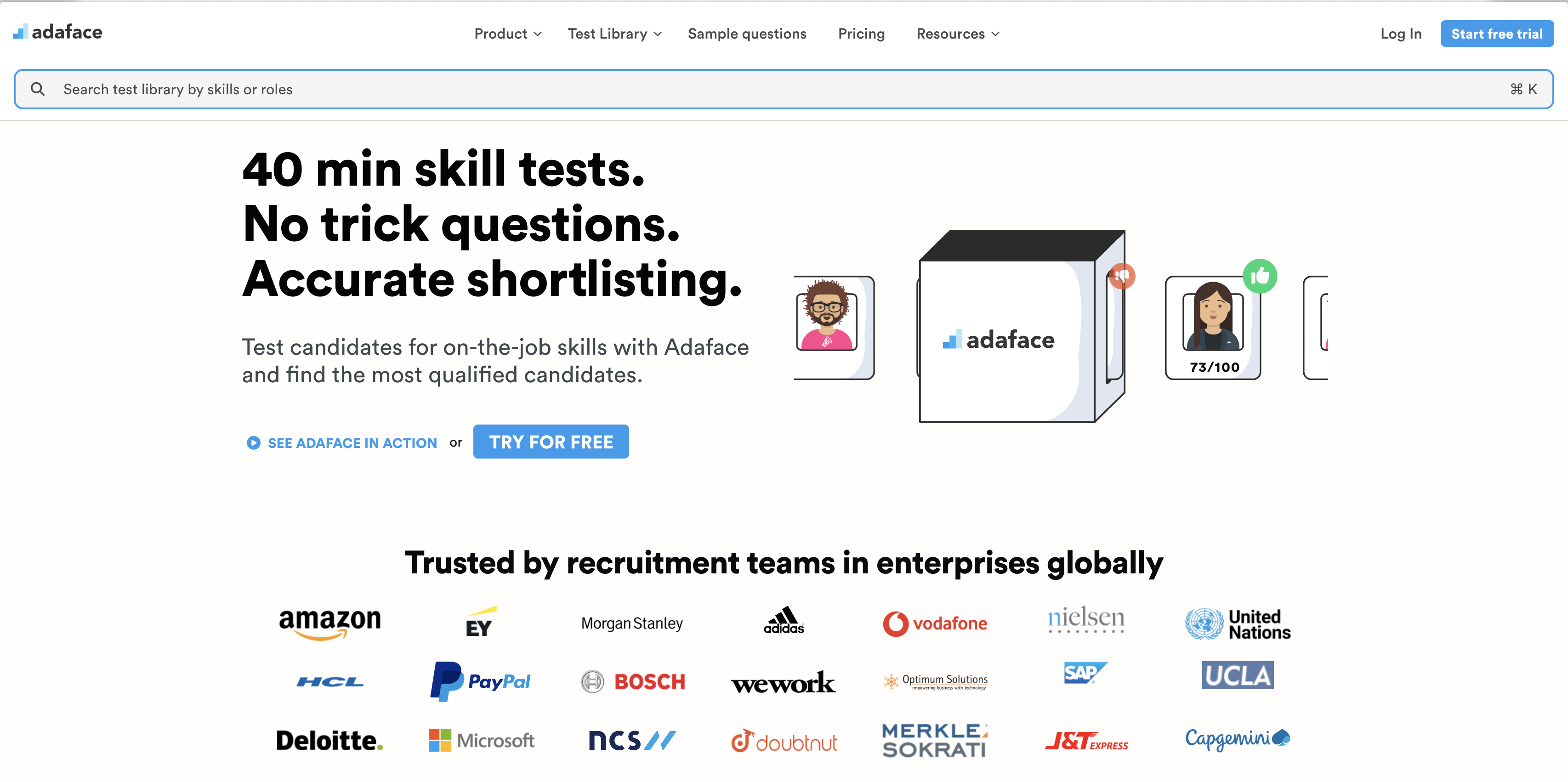
Looking for a platform that can assess a wide range of skills, from coding to personality? Adaface might be your answer. It's designed to offer quick and accurate skills assessments, all while maintaining test integrity.
Why we picked Adaface
Adaface is a skills assessment platform used by clients across 70+ countries. It boasts a test library of 500+ skills, covering technical skills like coding, IT, and AI, as well as aptitude, business, finance, and even typing skills. This makes it a versatile option for various hiring needs.
With Adaface, you can evaluate candidates beyond just their technical abilities. Assess cognitive skills, language proficiency, and personality traits to get a complete picture of their potential fit. Its proctoring suite ensures test integrity with features like webcam monitoring, window tracking, and ChatGPT detection.
One of the biggest advantages of Adaface is its credit-based pricing model which covers all proctoring features. Plus, Adaface integrations with major ATS platforms streamlines your hiring workflow.
Key Features of Adaface
- Extensive skill assessment library: Access 500+ tests across various domains, including programming, IT, business, finance, aptitude, and personality.
- Customizable tests: Tailor assessments by adjusting test duration, cut-off scores, and programming languages. You can also have Adaface experts customize tests based on your job descriptions.
- Scenario-based questions: Screen for on-the-job experience with questions designed to simulate real-world scenarios, instead of focusing on theoretical knowledge.
- Multiple question types: Evaluate Excel, SQL, and coding skills using simulators and role-based skills with scenario-based MCQs.
- Advanced proctoring: Ensure test integrity with features like webcam proctoring, video monitoring, ChatGPT proctoring, and off-tab activity tracking.
- Custom question creation: Design and add your own questions to assess specific skills relevant to your company's needs or niche.
Pros of Adaface
- Large test library covering a wide range of skills and roles including aptitude tests, finance, personality, business, typing, AI, technical and coding roles.
- Strong proctoring suite to prevent cheating and ensure test integrity.
- Flexible, credit-based pricing that includes all proctoring features, eliminating seat-based costs.
- Used by clients in 70+ countries, indicating a proven track record and global applicability.
Cons of Adaface
- No live video interview functionality.
- Does not support take-home assignments directly on the platform.
- Pricing might be higher compared to some other basic assessment tools in the market.
Pricing of Adaface
Adaface offers a free trial with 2 sample tests and 5 credits to explore the platform. The platform is self-serve and doesn't require a credit card to start. Paid plans include all proctoring features and access to all 500+ tests. Plans include:
- Individual ($180/year)
- Starter ($500/year)
- Pro ($900/year)
- Scale ($3000/year)
- Growth ($5500/year)
- Enterprise ($20,000/year)
- Unlimited ($50,000/year)
2. TestDome: Great ready-made tests
Now, let's explore TestDome. This platform is designed to help you assess candidates using pre-built tests across a range of skills.
Why we picked TestDome
TestDome is primarily used for evaluating applicants' skills in areas like programming, data science, and general cognitive abilities. It works by providing a library of ready-made tests that recruiters can send out to candidates. While customization is available, the platform is not designed for creating tests from scratch.
TestDome offers features like video interviews and automated scoring, aiming to streamline the hiring process, especially for technical roles. They provide assessments across different skill categories, helping you evaluate the suitability of candidates for various roles. But it may not be ideal if you want to create custom questions for your specific usecases.
Key Features of TestDome
- Ready-to-use tests: Access a library of pre-built assessments for various skills.
- Webcam Proctoring: Monitor candidates during tests to deter cheating.
- Automated Scoring: Quickly evaluate candidates with automated scoring for many question types.
Pros of TestDome
- Large Test Library: Offers a wide range of ready-made tests to assess candidates.
- Strong Proctoring: Provides features like webcam and window proctoring.
- Automated Scoring: Reduces manual effort with automated scoring.
- Easy to Use: Has a user-friendly interface for easy navigation.
Cons of TestDome
- Limited Customization: Does not allow for creation of custom questions.
- No Customer Branding: Lacks options for company logo and branding during assessments.
- No Skill-wise Analysis: Scorecards don't break down candidate performance by skill.
- No Multiple Test Sets: Does not support multiple question sets to prevent test leaks.
Pricing of TestDome
TestDome offers a free trial. The pricing is structured on a per-candidate basis, with different tiers depending on the number of candidates you plan to assess. For detailed pricing information, it's best to reach out to their sales team directly to discuss your specific needs.
3. Maki People: Basic Skill Screening
Now, let's explore Maki People. It's a platform designed to assess candidate skills, offering a range of tests to help streamline your hiring process.
Why we picked Maki People
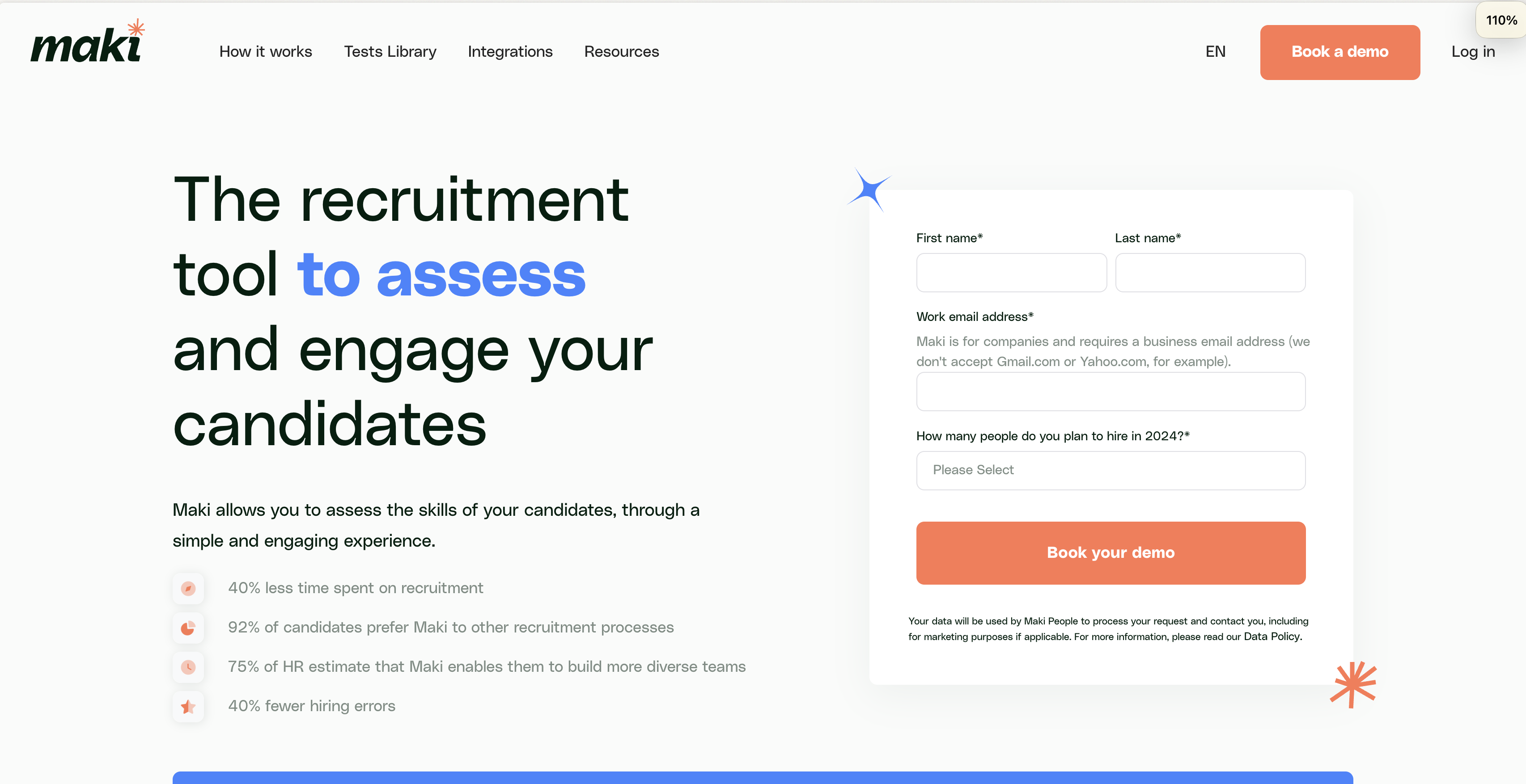
Maki People is designed to evaluate skills across different domains. It allows recruiters to administer pre-employment tests and aims to help identify suitable candidates. It offers a range of assessments, from programming to business skills, providing a snapshot of a candidate's abilities.
The platform supports custom questions, allowing for some tailoring of assessments. However, it lacks the capability to create tests customized per job description. Maki People aims to offer a solution for initial candidate screening.
Key Features of Maki People
- Ready-to-use tests for various roles
- Option to add custom questions
- Integrations with popular ATS systems
Pros of Maki People
- Support for coding assessments
- Skills profiling in scorecards
- Candidate benchmarking
- Job board integrations
Cons of Maki People
- Lacks situational judgment tests
- No custom data location support
- No free trial or easy signup
- No typing tests
Pricing of Maki People
Maki People does not publicly display its pricing. To get a quote, you need to contact their sales team. This lack of transparent pricing may make it harder to quickly evaluate whether it fits your budget. Unlike Adaface Assessments Pricing, where you can explore different plans and features upfront.
4. Codility: Coding Skill Assessment
Let's explore Codility, a platform designed to assess coding skills. Here's a detailed look at its offerings.
Why we picked Codility
Codility focuses primarily on evaluating the coding ability of candidates. It provides a platform where recruiters can assign coding tasks and assess the candidate's proficiency based on the code produced. This approach is useful for roles that require practical coding experience, giving a direct view of a candidate's skill level.
While Codility excels in coding assessments, it's important to note that its scope is limited to technical skills. It lacks assessments for aptitude, personality, or business acumen, which are often key for well-rounded hiring decisions. For a more complete candidate profile, consider platforms that offer a wider array of pre-employment assessment tests.
Key Features of Codility
- Task library with coding challenges
- Automated scoring for coding tasks
- Code playback for detailed review
- Integration with some ATS platforms
Pros of Codility
- Focus on coding skill assessment
- Automated scoring saves time
- Good anti-cheating measures
- Customizable branding options
Cons of Codility
- Lacks assessments beyond coding skills
- Tests can be time-consuming, with typical assessment lengths of 2 hours which can impact candidate experience
- No custom API for integrations
- No support for excel tests
Pricing of Codility
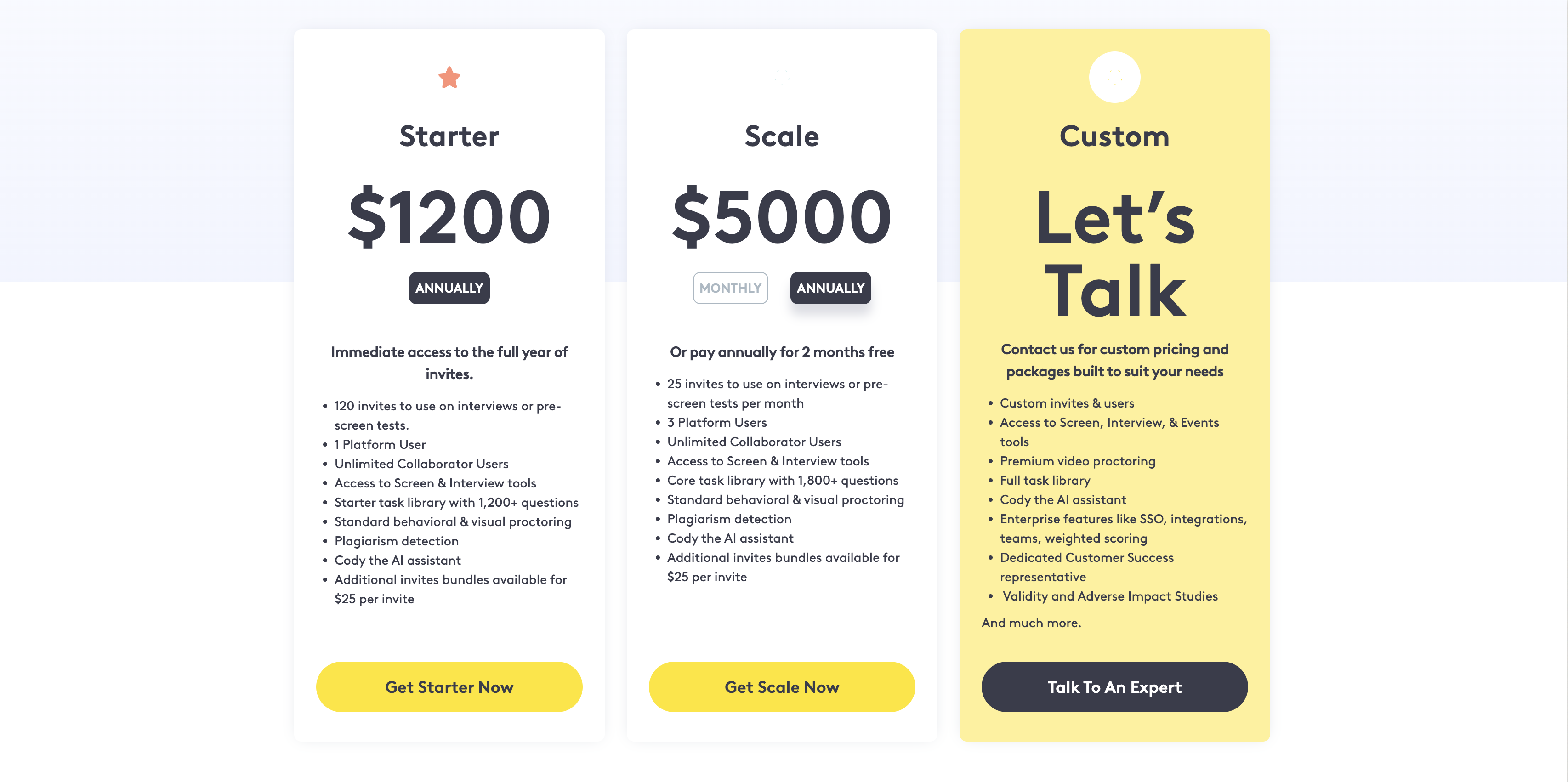
Codility's pricing starts at $1200 per year for the starter plan and $5000 per year for the scale plan. For growth plans, you need to contact their sales team for a quote. They do offer a free trial, but unlike Adaface, you have to fill out a form and wait for approval, you cannot directly sign up for the trial.
5. CodeSignal: Ace Coding Skill Assessment
Let's explore CodeSignal. It's a platform designed to evaluate coding skills, particularly for technical roles. Here's a detailed look.
Why we picked CodeSignal
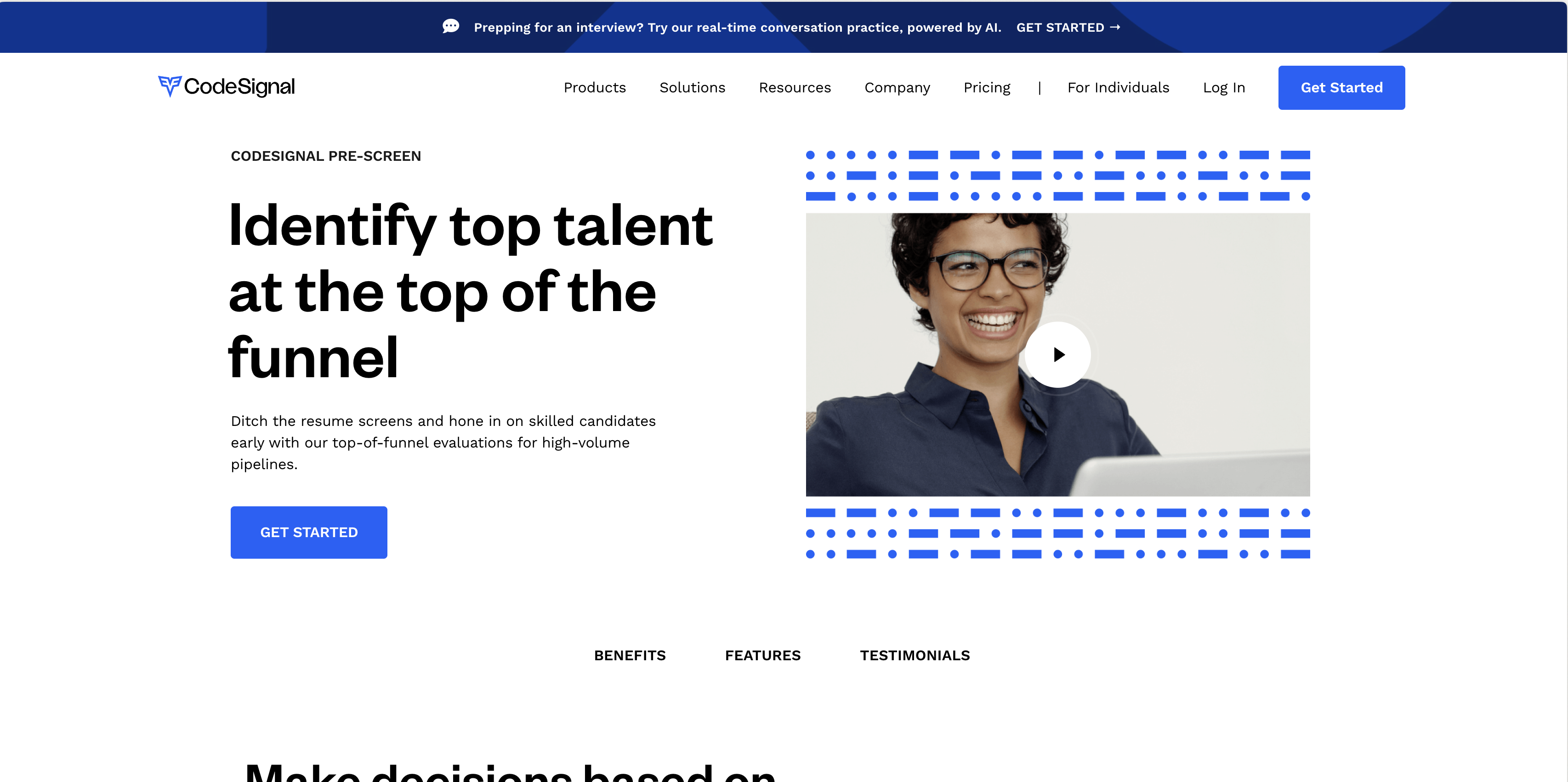
CodeSignal specializes in assessing coding skills through coding tests and challenges. It caters to organizations seeking to evaluate developers and software engineers. The platform is known for its focus on coding assessments, offering a range of coding languages and frameworks to test candidates.
With CodeSignal, recruiters can assess a candidate's coding proficiency and problem-solving abilities. However, keep in mind that CodeSignal's strength lies primarily in coding assessments. If you need a broader range of assessments, including aptitude, personality, or job-specific skills, you might need to consider other platforms like Adaface's online assessment platform.
Key Features of CodeSignal
- Coding Assessments: Focuses on coding challenges and tests.
- IDE: Provides an integrated development environment for candidates to code in.
- Skill Certification: Offers certifications based on coding skills.
Pros of CodeSignal
- Strong focus on coding skill assessment.
- Offers a realistic coding environment for candidates.
- Automated scoring saves time.
Cons of CodeSignal
- Limited assessment types beyond coding.
- No support for custom questions.
- Lacks tests for aptitude, business skills, and personality.
- No custom data location support.
Pricing of CodeSignal
CodeSignal does not openly display pricing. You have to contact them to know pricing information. They do not offer a free trial either.
6. Coderbyte: Coding Challenges and Prep
Let's examine Coderbyte. It's a platform designed for individuals to practice and enhance their coding skills through challenges and courses.
Why we picked Coderbyte
Coderbyte is used primarily by individuals preparing for technical interviews and companies seeking to assess candidates' coding abilities. The platform offers a range of coding challenges and courses across various programming languages and skill levels. These challenges often involve solving problems using code, and the platform provides feedback and solutions for users to learn from.
Companies use Coderbyte to evaluate candidates' coding skills during the hiring process. By assigning coding challenges, recruiters can assess a candidate's proficiency in programming languages, problem-solving abilities, and coding style. However, it's worth noting that Coderbyte's strength lies mainly in coding assessments, lacking a broader range of assessment types such as aptitude tests or personality assessments.
Key Features of Coderbyte
- Large library of coding challenges across various languages.
- Code evaluation and feedback.
- Career paths to help guide learning.
Pros of Coderbyte
- Large community of developers.
- Supports multiple programming languages.
- Offers a free trial to explore the platform.
- Good for assessing coding skills.
Cons of Coderbyte
- Focuses heavily on coding; lacks broader assessment options.
- No custom question creation for tailored assessments.
- Tests can be time intensive for candidates.
- Lacks integrations with major ATS platforms.
Pricing of Coderbyte
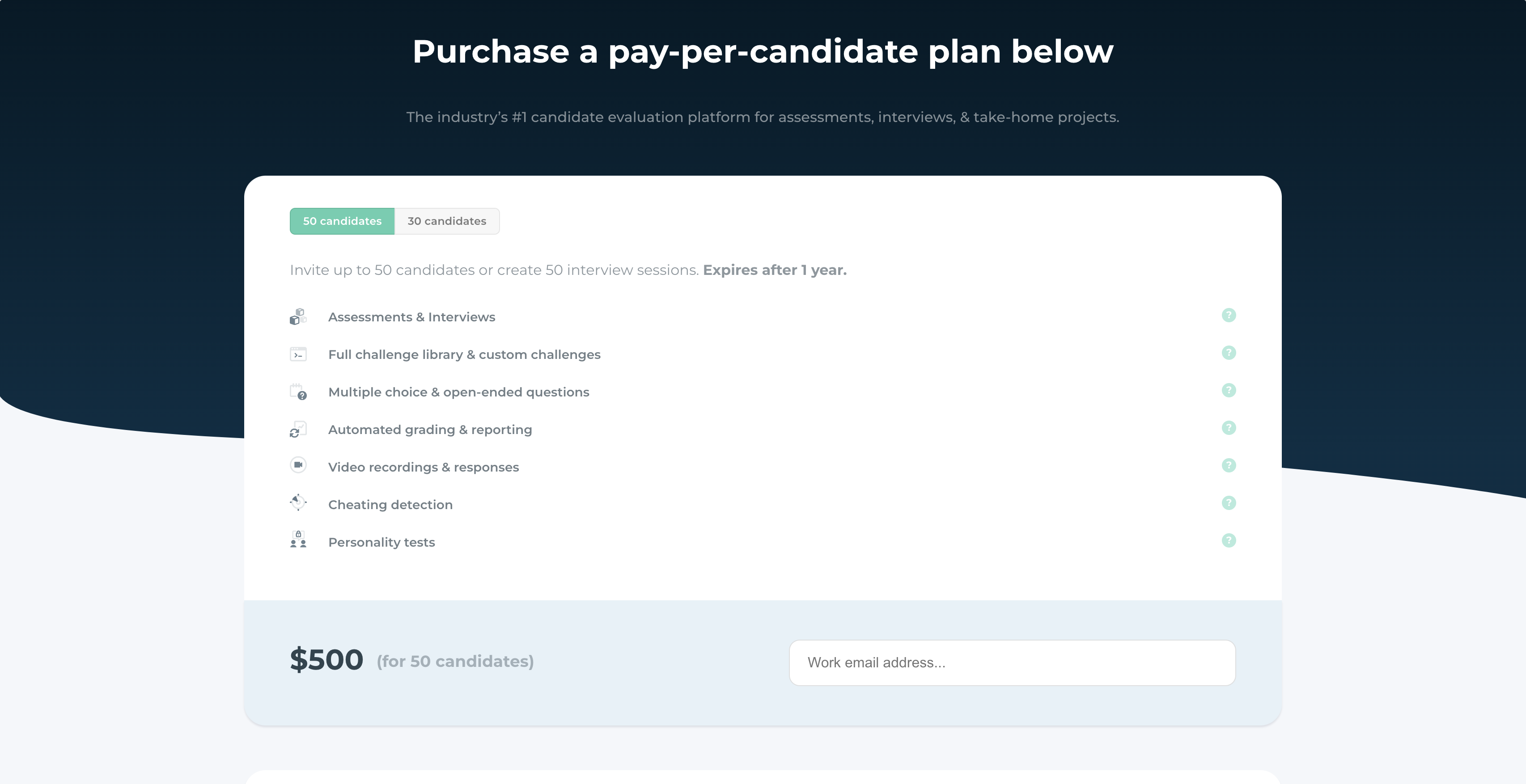
Coderbyte offers a tiered pricing structure. They have a subscription plan at $1,699/year. Alternatively, they also have a Pay-as-you-go plan, with $500 for 50 candidates or $350 for 30 candidates.
7. HackerRank: Great for coding skills
Let's break down HackerRank. It's a platform that's been around for a while, focused on assessing technical skills, especially coding.
Why we picked HackerRank
HackerRank is known for its focus on coding assessments. Companies use it to evaluate developers' skills through coding challenges and problem-solving exercises. This helps to filter candidates based on their coding abilities.
The platform is primarily geared towards tech roles. While they do offer some job-specific tests, these are mostly IT-focused. So, if you're hiring for roles outside of tech, you might need to look elsewhere for a broader range of pre-employment assessment tests.
Key Features of HackerRank
- Coding Challenges: Assess coding skills across many programming languages.
- Skill Certification: Candidates can earn certifications to validate their abilities.
- Plagiarism Detection: Helps maintain the integrity of coding tests.
Pros of HackerRank
- Wide Developer Adoption: Many developers are familiar with HackerRank.
- Supports Many Languages: Offers assessments in 40+ programming languages.
- Good for Technical Roles: Strong focus on assessing coding skills.
- Code Playback: See how candidates coded in a timeline.
Cons of HackerRank
- Limited Scope: Focuses mainly on coding, missing skills like business acumen.
- No Customization: Can't create custom questions for roles other than coding and IT.
- Lengthy Tests: Tests typically take 2 hours, which can hurt candidate experience.
- Questions Are Googleable: Default questions are easily searchable, which reduces test integrity.
Pricing of HackerRank
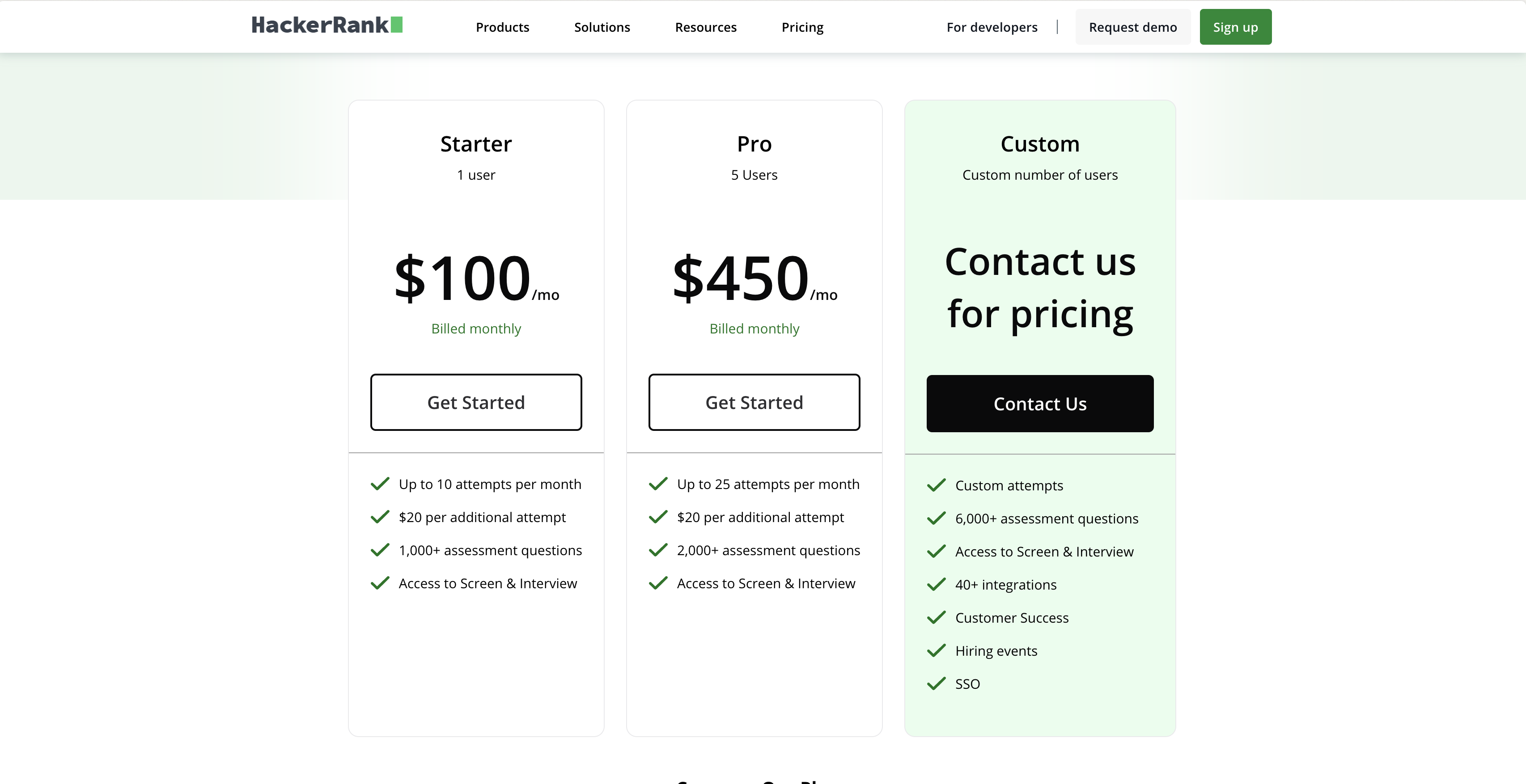
HackerRank has a few pricing tiers. The Starter plan begins at $100 per month (billed annually). For custom features, like advanced ATS integrations, you’ll need their Enterprise plan, which requires a call to their sales team to get a quote.
8. HireVue: For video-based assessments
Let's explore HireVue. It's known for its video-based assessment approach, aiming to add a personal touch to the screening process.
Why we picked HireVue
HireVue primarily provides video interviewing and assessment solutions. It allows companies to conduct structured interviews where candidates record their answers to pre-set questions. This aims to standardize the initial screening phase and assess candidates' communication skills and personality traits.
The platform also incorporates AI to analyze candidate responses, looking for patterns and insights that can help hiring teams make more informed decisions. While it offers coding assessments, it lacks support for many other skills, such as finance, AI or language proficiency tests that may be needed. For teams needing a breadth of skills assessment, tools like Adaface's pre-employment assessment tests could be a better fit.
Key Features of HireVue
- On-demand video interviews
- AI-driven analysis of responses
- Structured interview templates
Pros of HireVue
- Good for evaluating soft skills via video.
- Automated scoring can save time.
- Integrates with many ATS platforms.
- Provides a structured interview process.
Cons of HireVue
- Limited range of assessment types beyond video interviews.
- Customization options may be restrictive.
- Lacks coding question playback.
- No support for custom data location.
Pricing of HireVue
HireVue does not publicly list its pricing. You'll need to contact their sales team for a quote. They also don't seem to have a free trial.
9. TestGorilla: Good for skills breadth
Let's get into TestGorilla. This platform aims to provide a wide array of tests to assess candidates across diverse skill sets.
Why we picked TestGorilla
TestGorilla is designed as a pre-employment testing platform offering a large library of tests. Recruiters can use TestGorilla to screen candidates based on skills, personality, and cognitive abilities. They also provide webcam proctoring and window proctoring.
While TestGorilla boasts a wide range of ready-made tests, it lacks the ability to create custom questions for unique use cases. This can be limiting if you need to assess skills specific to your company or industry. For custom assessments, consider platforms like Adaface's online assessment platform.
Key Features of TestGorilla
- Extensive test library covering diverse skills
- Webcam and window proctoring features
- Integration with applicant tracking systems (ATS)
Pros of TestGorilla
- A wide variety of pre-built tests are available.
- Good for initial screening of candidates.
- Offers features like video interviews.
- Supports multiple invite options.
Cons of TestGorilla
- Limited customization options for assessments
- No custom API is available.
- Lacks strong customer branding options.
- Does not offer plagiarism detection for coding tests.
Pricing of TestGorilla
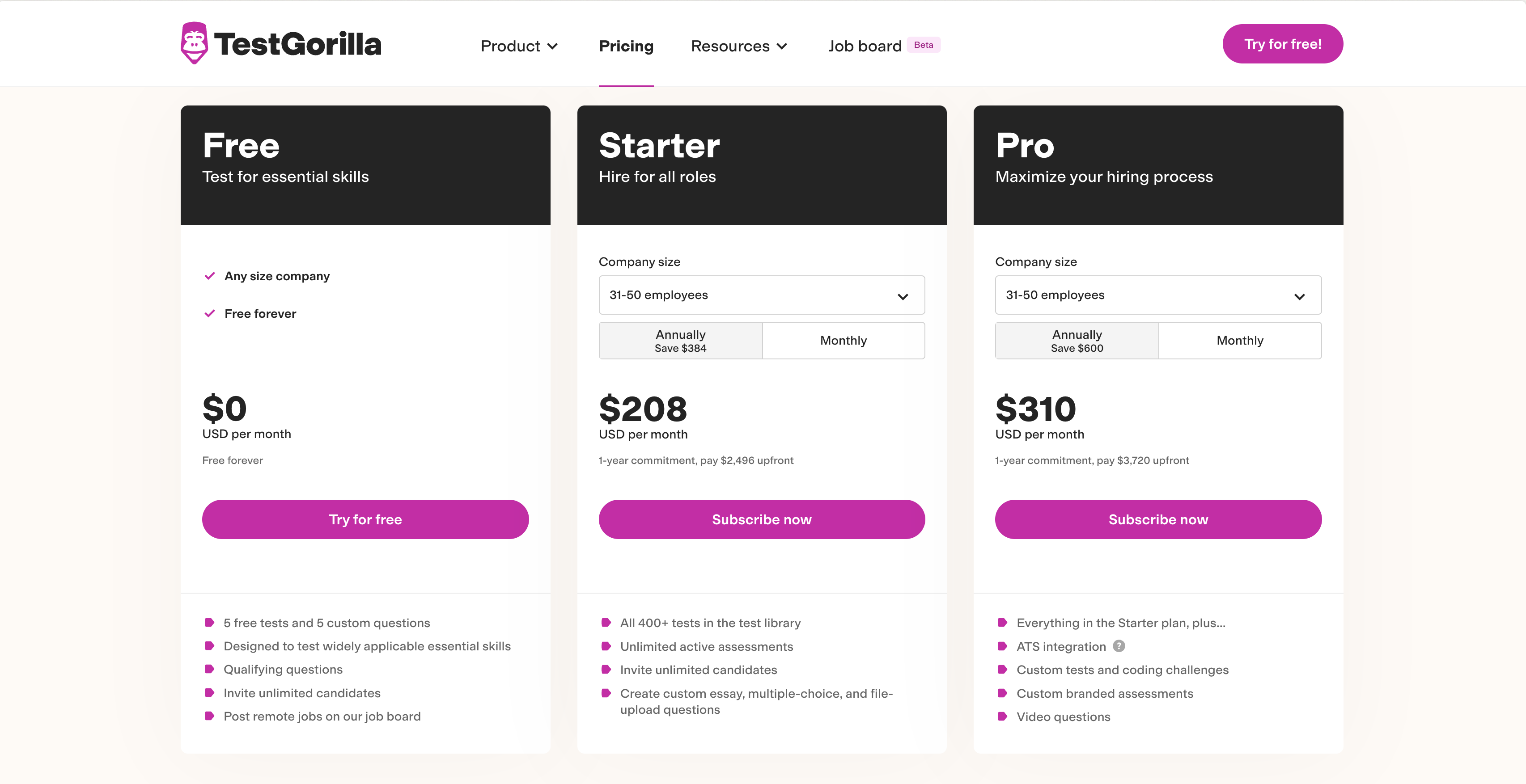
TestGorilla's pricing depends on the size of your company. For smaller teams, the 'Individual' plan starts at $75 per month (billed annually). They also offer 'Starter' and 'Scale' plans. For larger organizations requiring enterprise-level features, you'll need to contact TestGorilla for a custom quote. They do not offer an unlimited plan without restrictions.
10. Testlify: Broad Assessment Test Library
Let's take a closer look at Testlify, a platform aiming to streamline hiring with its extensive test library. It's designed to help businesses assess candidates across a range of skills.
Why we picked Testlify
Testlify is a platform focused on pre-employment testing, offering a variety of assessments to evaluate candidates. Businesses use it to screen applicants for different roles, aiming to identify individuals who align with the job requirements.
The platform provides ready-made tests covering personality, aptitude, and skills. Recruiters can leverage these tests to gauge candidate capabilities and make informed decisions. You can add your own custom questions to tailor the assessments.
Key Features of Testlify
- Ready-to-use tests for various roles
- Option to add custom questions
- Webcam proctoring to deter cheating
Pros of Testlify
- Offers a wide range of pre-built tests
- Integrates with popular ATS systems
- Provides video and IP proctoring features
- Has transparent pricing and billing
Cons of Testlify
- Lacks coding playback functionality for detailed code reviews.
- No support for excel simulation based questions.
- Doesn't offer custom data location support for enhanced data security.
- Doesn't benchmark candidates against each other.
Pricing of Testlify
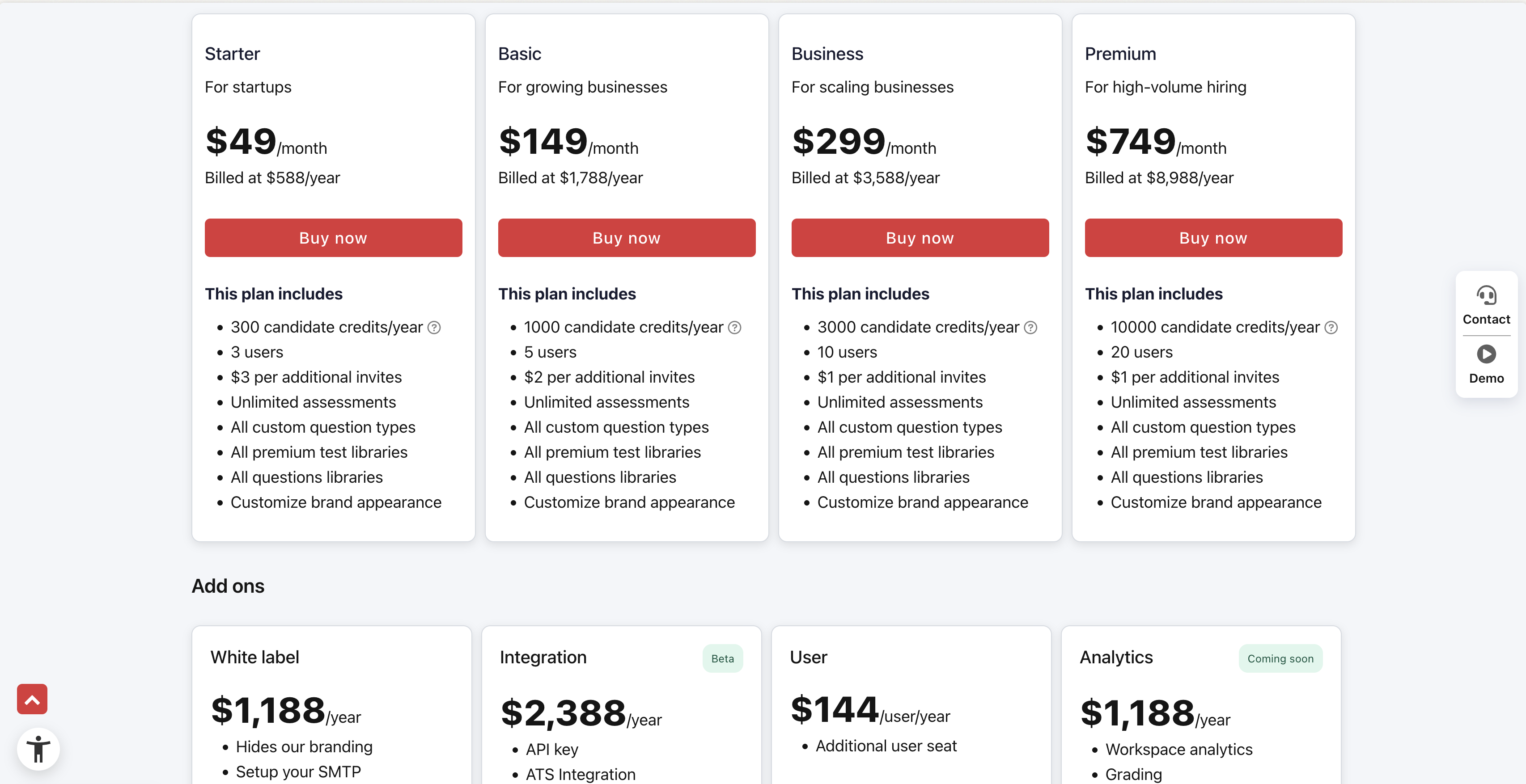
Testlify offers a subscription-based pricing model with different tiers. The Starter plan begins at $49 per month (billed annually), with options to upgrade to Scale and Growth plans for larger teams. Enterprise features like integrations and whitelabeling are available as add-ons. They do have a free trial. For larger enterprises reach out to Testlify team for pricing.
Found the perfect tool?
We've explored a range of skills assessment platforms, each offering unique features and capabilities. But before you jump in, remember the most important factor: Does the tool accurately and fairly measure the skills you need? Bias-free assessments are key to making informed hiring decisions.
Many platforms offer a wide array of tests, but few allow for truly custom assessments tailored to your specific job descriptions. This can lead to generic evaluations that miss critical nuances in candidate skill sets.
There are good tools to consider. Adaface stands out, along with TestDome, Maki, and others. Each has strengths worth exploring.
Ultimately, the right tool depends on your specific hiring needs. Consider your budget, the types of roles you're hiring for, and the level of customization you require. Then, dive in and put these platforms to the test!
- Adaface offers customizable assessments, proctoring features and ATS integrations designed to make your remote hiring process smoother and more accurate.
- TestDome has a wide variety of tests, but lacks custom question options, which might limit its flexibility.
- Maki People offers a range of assessments, but their pricing details are not readily available, requiring direct contact for information.
- Codility focuses on coding skills but lacks assessments for aptitude and business skills. It also requires filling out a form for a free trial, unlike the instant sign-up offered by Adaface.
- CodeSignal is tailored for technical roles but does not offer assessments for aptitude or business skills, with pricing details that require contacting their team.
- Coderbyte is geared towards software-related jobs but lacks ATS integrations, potentially creating workflow challenges for larger organizations.
- HackerRank is strong for IT roles, but default questions may be easily searchable, impacting test integrity.
- HireVue offers programming tests, but pricing information is not transparent, requiring direct contact for a quote.
- TestGorilla provides a broad assessment library, but their questions might be solvable by smaller GPT models, impacting the quality of the assessment.
- Testlify offers a range of tests, but their assessments have short test durations, which may not accurately evaluate the candidate skills.
Ready to make your hiring smarter? Take Adaface for a spin today!

40 min skill tests.
No trick questions.
Accurate shortlisting.
We make it easy for you to find the best candidates in your pipeline with a 40 min skills test.
Try for freeRelated posts

Join 1200+ companies in 80+ countries.
Try the most candidate friendly skills assessment tool today.


40 min tests.
No trick questions.
Accurate shortlisting.
No trick questions.
Accurate shortlisting.