

Finding the perfect talent assessment tool with custom questions can feel like searching for a needle in a haystack. You need a solution that not only offers a wide range of tests but also lets you tailor them to your specific needs. Otherwise, you risk missing out on top talent.
In this article, we'll explore why custom questions are a must-have for effective talent assessment. We'll also outline what makes a great tool in this category, and give you a sneak peek at the top contenders. Expect to see names like Adaface, iMocha, and Codility.
We'll dive deep into the top 10 tools, highlighting what each one does, why they made our list, and their pros, cons, pricing, and key features. Plus, we'll wrap it up with our top recommendation to help you make the best choice for your organization. Let's get started with the pre-employment assessment test!
Explore this post with:
Table of contents
Why Use Talent Assessment Tools with Custom Questions?
What Makes a Great Skills Assessment Software?
Top Assessment Tools: A Quick Glance
1. Adaface
2. iMocha
3. Codility
4. HackerRank
5. Coderbyte
6. TalView
7. TestGorilla
8. HireVue
9. Xobin
10. Symphony Talent
Top Talent Assessment Tools with Custom Questions: The Verdict
Why Use Talent Assessment Tools with Custom Questions?
Imagine you're a recruiter sifting through hundreds of applications. How do you find the diamonds in the rough? Traditional methods can be time-consuming and subjective, leading to missed opportunities and potentially bad hires. This is where talent assessment tools swoop in to save the day.
These tools offer a structured way to measure candidate skills, aptitude, and even personality traits. They bring objectivity to the hiring process, helping you focus on candidates who genuinely fit the role. By using these platforms, you are able to create a Pre-Employment Assessment Test Library that is tailored to your requirements.
Tools that let you add custom questions take it a step further. Need to gauge experience with specific software or understand how someone tackles unique company challenges? Custom questions let you do just that, providing insights beyond standard assessments. Plus, with features like webcam proctoring, you can ensure test integrity.
What Makes a Great Skills Assessment Software?
When recruiters invest in skills assessment tools, they need a platform that offers valid and reliable ways to measure candidate skills. This ensures they're making informed decisions based on actual abilities.
A key factor is the ability to build tests tailored to specific job roles. The ideal platform will allow you to design custom tests based on job descriptions. This ensures that candidates are evaluated on the specific skills and knowledge required for the position, leading to more accurate and relevant assessments. Check out Adaface's pre-employment assessment test library for a skills-based hiring experience.
Here are some other features that set apart great tools:
- Candidate Experience: Good assessment software makes tests easy to understand and complete, reducing dropout rates.
- Actionable Reports: AI-driven skills assessment tools analyze candidate responses in detail and present actionable reports, helping recruiters cut down review time and make faster, data-backed decisions.
- Proctoring and Identity Checks: At the same time, it should provide secure proctoring and identity checks that protect test integrity without overwhelming candidates.
Top Assessment Tools: A Quick Glance
Choosing the right talent assessment tool can feel like finding a needle in a haystack. This table offers a summary of the top contenders to help you narrow down your search.
| Name | Best for | Standout feature | Pros | Cons | Free trial | Pricing |
|---|---|---|---|---|---|---|
| Adaface | Skills across roles and levels |
Tests for 500+ skills |
Broad skill coverage, strong proctoring, no seat-based pricing |
Doesn't support take-home style assignments |
Yes | Credits based pricing, 180$+/year |
| iMocha | Varied skills assessment |
Skills mapping |
Wide range of tests |
No custom questions |
No | Contact for pricing |
| Codility | Developer skills screening |
Coding skill focus |
Coding skill emphasis |
No aptitude/ behavioral assessment |
Yes | $1200+/year |
| HackerRank | Technical role assessment |
Coding challenges |
Coding skill evaluation |
Default questions are easily googleable |
Yes | $1200+/year |
| Coderbyte | Technical skills evaluation |
Coding skill tests |
Coding skill assessment |
No custom questions, limited integrations |
Yes | $199+/month |
| TalView | End to end hiring platform |
Video interview focus |
Customizable questions |
Lacks coding questions |
No | Contact for pricing |
| TestGorilla | Broad skill assessments |
Skills tests |
Tests for diverse roles |
No custom questions, GPT-able questions |
Yes | $900+/year |
| HireVue | Video-based assessments |
Conversational assessments |
Video interviews emphasis |
No coding skill playbacks |
No | Contact for pricing |
| Xobin | Skills assessment |
Automated scoring |
Customizable branding |
Lacks custom questions |
No | Contact for pricing |
| Symphony Talent | Enterprise recruitment needs |
Recruitment marketing |
Talent CRM features |
No coding skill assessment |
No | $990+/year |
1. Adaface: Best for Skill Screens at Scale with Strong Proctoring
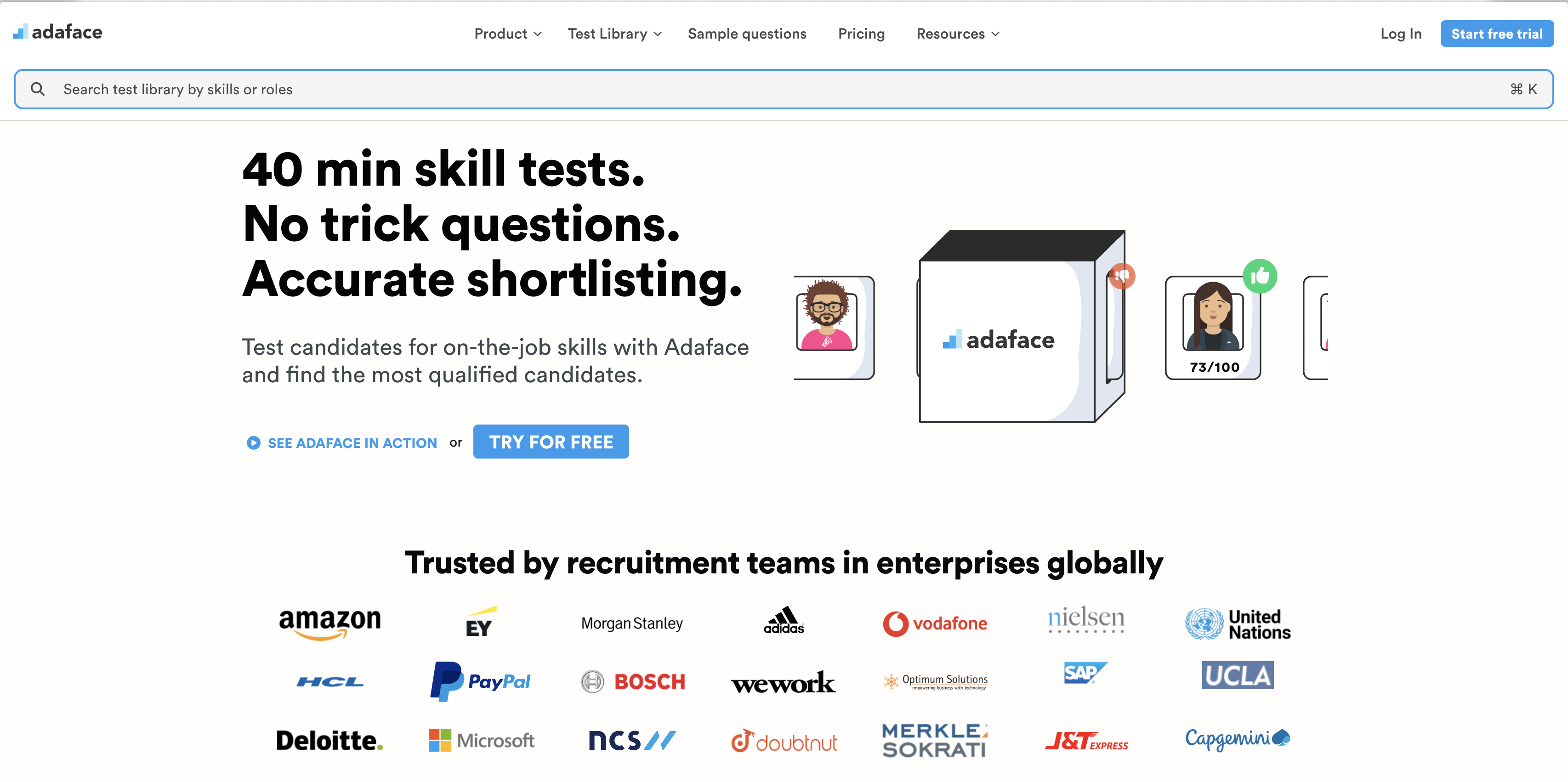
Now, let's talk about Adaface. We're not just saying this because it's our blog, but Adaface truly shines when you need to quickly assess skills across various roles, especially with its ready-made tests and smooth ATS integrations.
Why we picked Adaface
Adaface offers a wide range of over 500+ skill tests to give recruiters a better understanding of a candidate's abilities. It goes beyond just the final result, evaluating their approach, logic, design, and even soft skills.
In the context of skills-based hiring, Adaface lets you craft custom tests tailored to specific job descriptions, ensuring the assessment accurately reflects the requirements of the role. This means you're not just getting a generic skills check, but a focused evaluation of what truly matters for success in the position.
One of the biggest advantages of Adaface is its strong proctoring suite. Coupled with a vast question bank, Adaface offers a cheat-proof evaluation, giving you confidence in your hiring decisions.
Key Features of Adaface
- Extensive skill assessment library: Access a library of 500+ tests across programming, IT, business, Excel, aptitude, personality, finance and role-specific skills.
- Customizable tests: Tailor assessments by adjusting test duration, cut-off scores, and programming languages to suit specific hiring needs, or have Adaface experts customize the test based on your job descriptions.
- Scenario-based on-the-job skill questions: Screen accurately with questions designed to assess on-the-job experience instead of theoretical knowledge.
- Multiple question types: Test Excel, SQL, and Coding skills using simulators and role-based skills with scenario-based MCQs.
- Advanced proctoring: Ensure test integrity with webcam proctoring, video monitoring, ChatGPT proctoring, and off-tab activity tracking.
- Custom API: Integrate Adaface with your existing HR systems using our Custom API for a tighter workflow integration.
Pros of Adaface
- Large test library with 500+ tests covering aptitude, finance, personality, business, typing, AI, technical, and coding roles.
- Strong proctoring features to maintain test integrity.
- Pricing is based on credits, covering all proctoring features, unlike seat-based pricing models.
- Used by clients across 70+ countries, demonstrating its global applicability.
Cons of Adaface
- No live video interviews.
- No take-home assignment support.
- Not the cheapest in the market.
Pricing of Adaface
Try the platform with a free trial that includes 2 sample tests and 5 credits, no credit card required. The platform is self-serve and offers various pricing plans:
- Individual ($180/yr)
- Starter ($500/yr)
- Pro ($900/yr)
- Scale ($3000/yr)
- Growth ($5500/yr)
- Enterprise ($20,000/yr)
- Unlimited ($50,000/yr) All plans include all proctoring features and access to all 500+ tests.
2. iMocha: Best for skills library
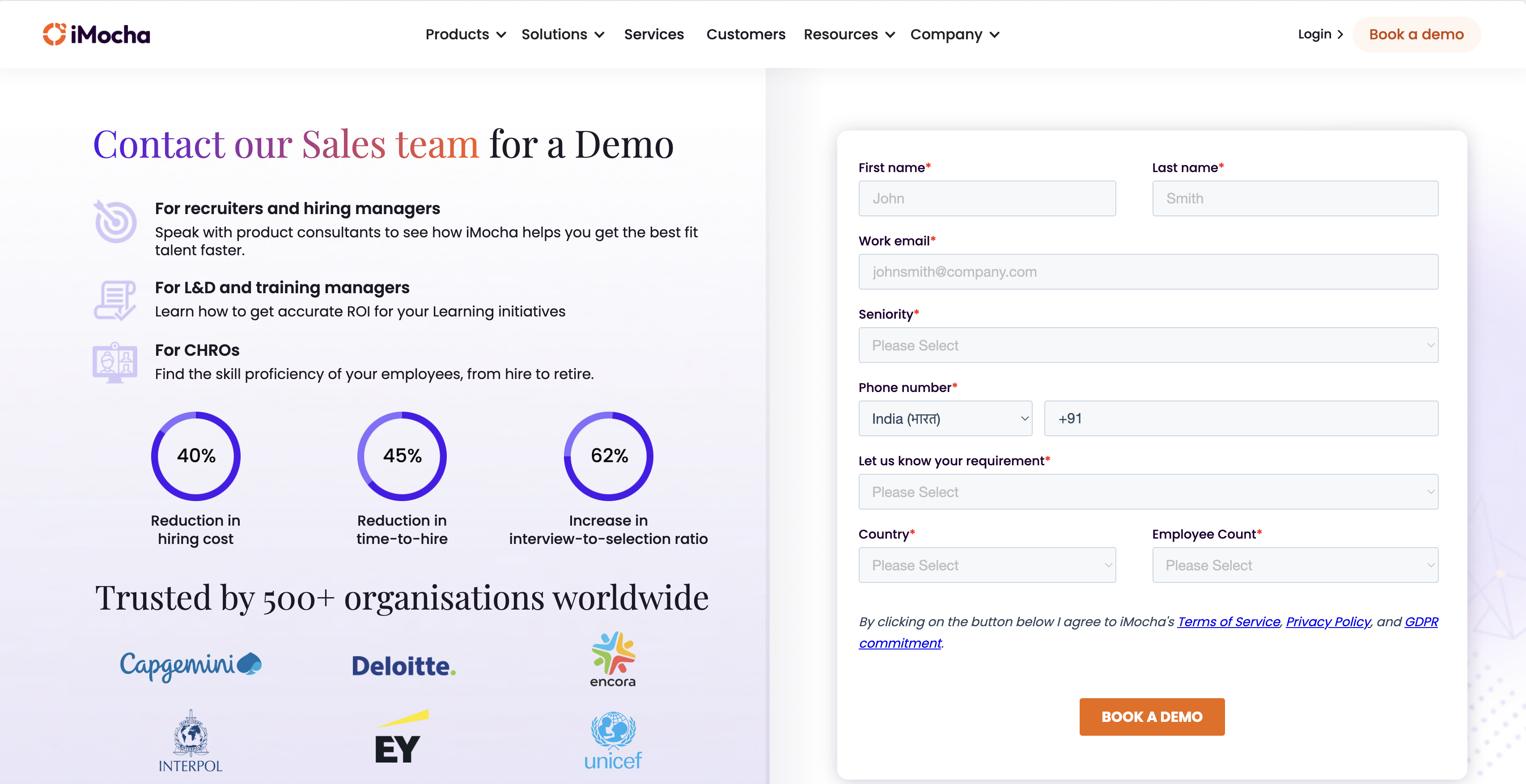
iMocha offers a platform with a wide range of skills assessments. It aims to help companies evaluate and benchmark candidate skills for various roles.
Why we picked iMocha
iMocha is primarily used for skills assessment and talent management. It allows businesses to measure the skill proficiency of potential hires. It also provides a skills intelligence system to manage and develop skills within an organization, helping to identify skill gaps and plan for future needs.
The platform provides video interviews and coding interviews. However, it doesn't support custom questions. This can be limiting if you need to assess candidates on very specific skills or scenarios relevant to your company.
Key Features of iMocha
- Large skills assessment library
- Video and live coding interview capabilities
- Skills intelligence for workforce planning
Pros of iMocha
- Extensive library of pre-built assessments.
- Strong proctoring features to maintain test integrity.
- Reporting and analytics dashboards provide insights into candidate performance.
- Supports integration with various ATS platforms.
Cons of iMocha
- Lacks support for custom questions to assess role-specific scenarios.
- Limited language support compared to other platforms. It only offers assessments in English, German, and Portuguese, unlike Adaface's language tests.
- No free trial or transparent pricing; requires contacting sales for a quote.
- Questions are easily googleable and GPT-able.
Pricing of iMocha
iMocha does not offer transparent pricing on their website. You must contact their sales team to get a custom quote. There is no free trial available, so you can't test the platform before committing.
3. Codility: Coding Skills Focused
Now, let's explore Codility, a platform known for its focus on coding skills assessment. It's designed to help companies evaluate developers through coding challenges.
Why we picked Codility
Codility specializes in assessing coding skills, primarily used for screening and interviewing software engineers. It offers a range of coding tasks and projects that allow candidates to demonstrate their abilities in various programming languages and frameworks.
The platform is tailored for tech companies looking to evaluate the practical coding abilities of potential hires. While it provides coding-specific assessments, it's important to note that it lacks assessments for aptitude, personality, or business-related skills, focusing squarely on the technical aspects of software development.
Key Features of Codility
- Code scoring and reporting: Automates the evaluation of code quality and performance.
- Custom tasks: Lets you create your own coding challenges.
- Integration with ATS: Connects with applicant tracking systems for smoother workflows.
Pros of Codility
- Strong focus on coding skills assessment.
- Provides a variety of coding challenges and languages.
- Offers features like code playback for detailed analysis.
- Supports integrations with popular ATS platforms.
Cons of Codility
- Lacks assessments for non-coding skills like aptitude or personality.
- Tests can be time consuming with assessment length of 2 hours, potentially impacting candidate experience.
- No support for assessing skills beyond programming, limiting its scope.
- Limited options for customizing the candidate experience, like branded emails.
Pricing of Codility
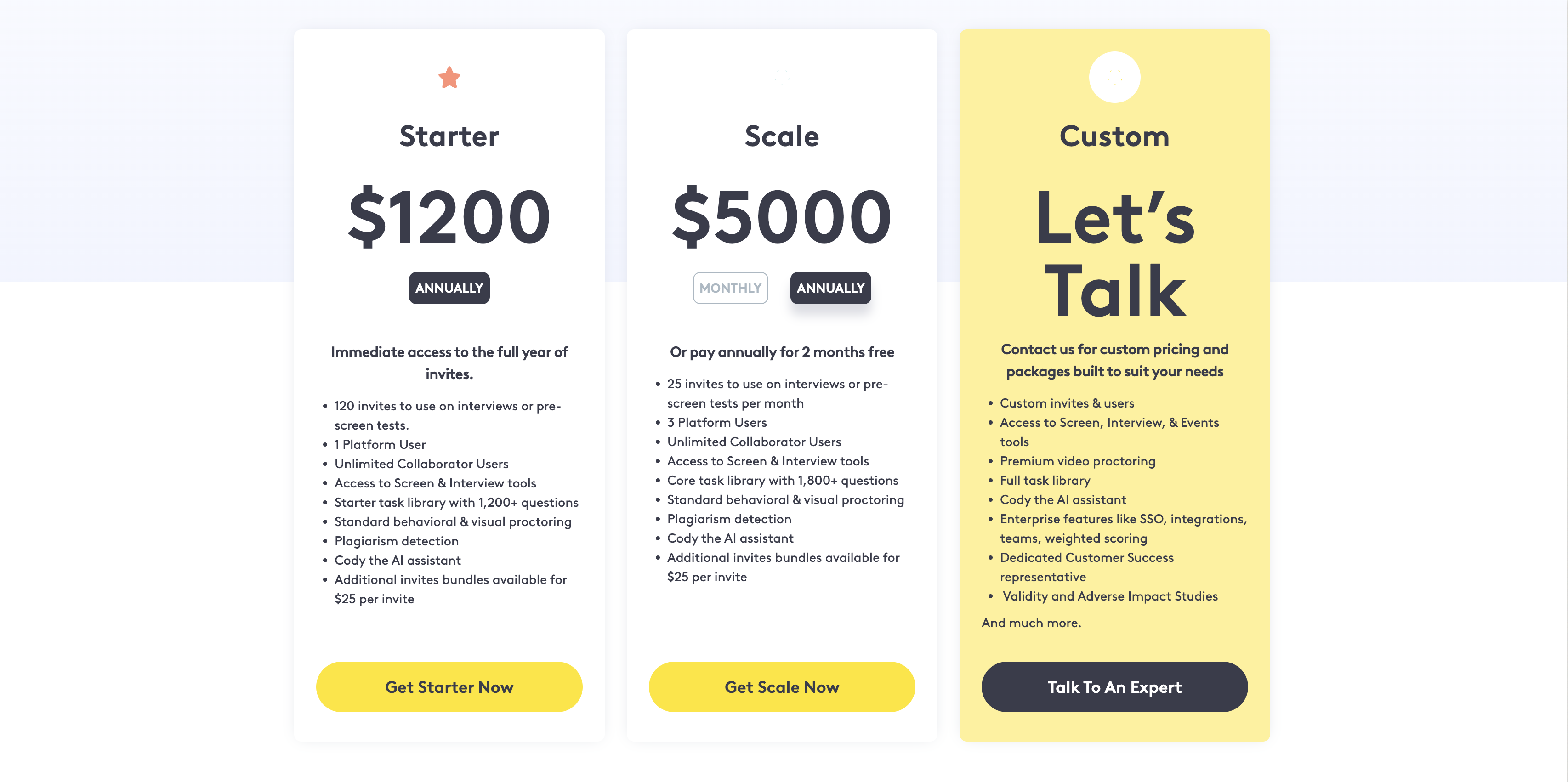
Codility's pricing includes a Starter plan at $1200 per year and a Scale plan at $5000 per year. For Growth plans, you'll need to contact their sales team for a custom quote. They offer a free trial, but you have to fill out a form and wait for the Codility team to grant you access, unlike Adaface's instant signup.
4. HackerRank: Coding Skills Focused
HackerRank is a well-known platform in the technical assessment space. It primarily focuses on evaluating coding skills, offering a range of tools for tech companies.
Why we picked HackerRank
HackerRank is designed to help businesses assess the coding skills of potential hires. The platform is used to screen candidates for developer roles, using coding challenges and assessments to gauge proficiency in various programming languages and technical domains. HackerRank's focus is mainly on technical skills, making it suitable for organizations with primarily technical hiring needs.
While HackerRank offers some customization options, its strength lies in its structured approach to coding assessments. This can be useful for companies that have a clear understanding of the coding skills they need and prefer standardized evaluations. However, for roles requiring a broader skill set beyond pure coding or custom scenarios, other platforms might be a better fit.
Key Features of HackerRank
- Coding Challenges: A vast library of coding problems across various languages.
- Live Coding Interviews: A collaborative coding environment for real-time assessments.
- Plagiarism Detection: Algorithms to identify potential instances of code plagiarism.
Pros of HackerRank
- Large Developer Community: Popular among developers for skill enhancement.
- Broad Tech Skill Coverage: Supports assessments in many programming languages.
- Plagiarism Detection: Helps maintain the integrity of coding tests.
- Real-World Coding Questions: Candidates are evaluated in a sandboxed environment.
Cons of HackerRank
- Limited Scope: Lacks assessments for non-technical skills like aptitude tests or personality traits.
- Lengthy Assessments: The typical assessment length is 2 hours which might affect candidate experience.
- Customization Constraints: Limited options for creating custom questions beyond coding challenges.
- No Conversational Interface: Tests feel like tests and aren't candidate friendly
Pricing of HackerRank
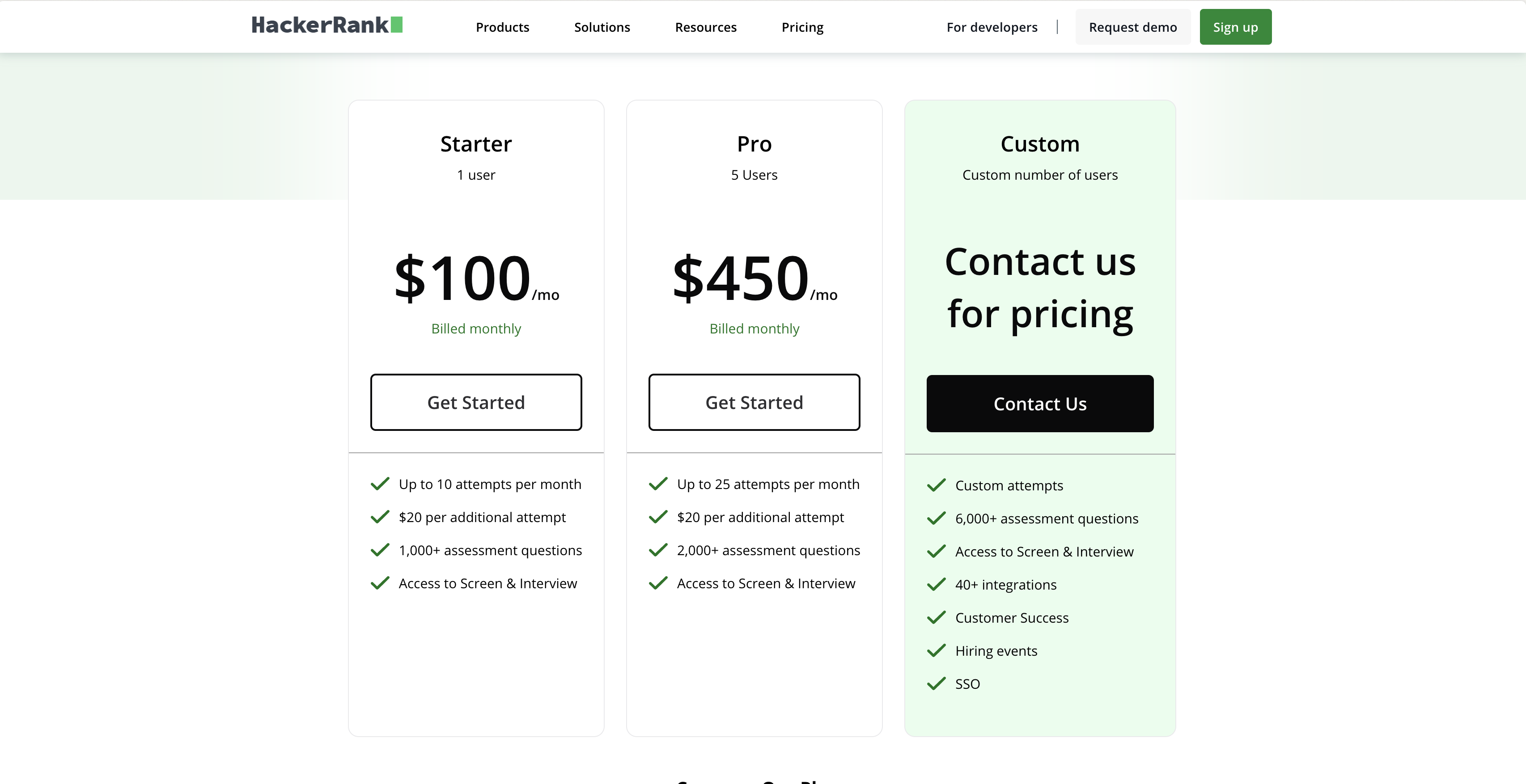
HackerRank offers different pricing tiers. They have a free trial. However, you need to contact them to get a custom quote.
5. Coderbyte: Solid coding skill assessment
Let's explore Coderbyte, a platform focused on assessing coding skills. It offers a range of challenges and assessments to help evaluate developers.
Why we picked Coderbyte
Coderbyte is designed to help companies evaluate the coding skills of potential hires. It provides coding challenges and assessments across various programming languages and skill levels. Recruiters use Coderbyte to identify candidates who possess the technical skills required for software development roles.
The platform offers features like code playback and automated scoring, which aim to streamline the evaluation process. While it caters specifically to technical roles, it's good for organizations seeking to measure the coding abilities of candidates. If you're looking for a broader range of skills assessment, you might want to explore platforms that cover aptitude, personality, and other job-specific skills like what you can find at Adaface's pre-employment assessment test library.
Key Features of Coderbyte
- Coding challenges in various languages
- Code playback for review
- Automated scoring of coding assessments
Pros of Coderbyte
- Large library of coding challenges
- Supports custom coding questions
- Offers code playback for detailed analysis
- Automated scoring for coding assessments
Cons of Coderbyte
- Lacks assessments for non-technical skills
- No support for situational judgment or aptitude tests
- No mobile-friendly testing experience
- Limited options for customizing the candidate's testing experience with company branding
Pricing of Coderbyte
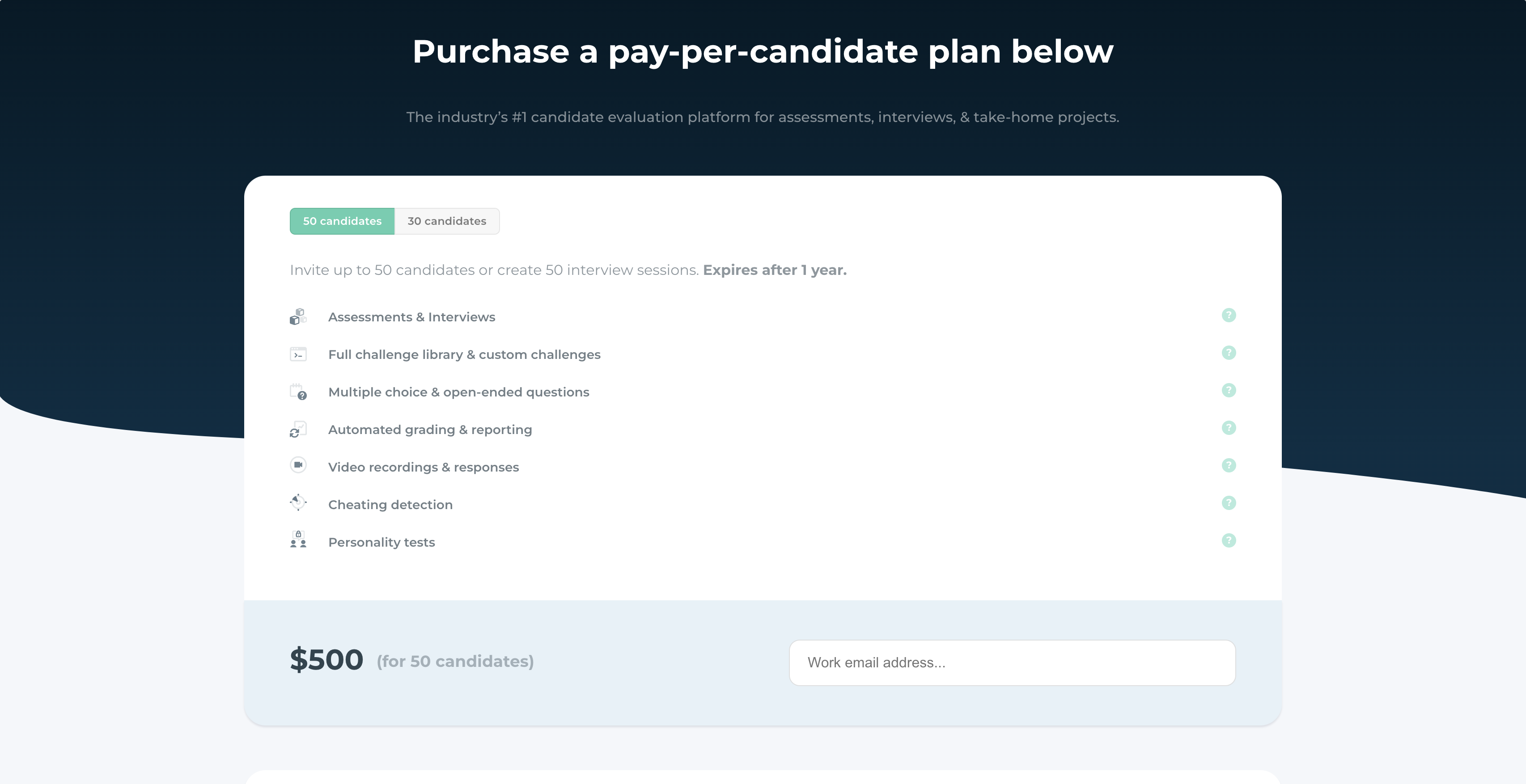
Coderbyte offers different pricing tiers, including subscription and pay-as-you-go plans. The Starter plan begins at $199 per month. Contact Coderbyte directly for specific pricing details.
6. TalView: For video-interviewing emphasis
Let's take a look at TalView. This platform focuses on automating the hiring process with an emphasis on video interviewing and remote proctoring capabilities.
Why we picked TalView
TalView is designed to streamline recruitment, particularly for large organizations. It offers a suite of tools for screening, interviewing, and assessing candidates. The platform's strength lies in its video interviewing capabilities, allowing for asynchronous and live interviews.
TalView can be used to manage the entire candidate lifecycle, from initial application to final selection. They also provide proctoring services to prevent cheating. This makes it suitable for roles that demand rigorous evaluations.
Key Features of TalView
- Video Interviewing: Conduct both live and asynchronous interviews.
- Proctoring: AI-powered tech helps prevent fraud during assessments.
- Ready-made tests: Access a library of pre-built assessments for various skills.
Pros of TalView
- Comprehensive platform covering various stages of recruitment.
- Strong focus on video interviewing.
- AI-powered proctoring capabilities.
- Offers a range of integrations with ATS systems.
Cons of TalView
- Lacks a conversational assessment experience, potentially impacting candidate engagement.
- Limited support for mobile-friendly assessments, which might deter some candidates.
- No typing tests which are a good way to assess candidate skills.
- Pricing is not transparent and requires contacting sales, making it harder to evaluate fit without direct engagement.
Pricing of TalView
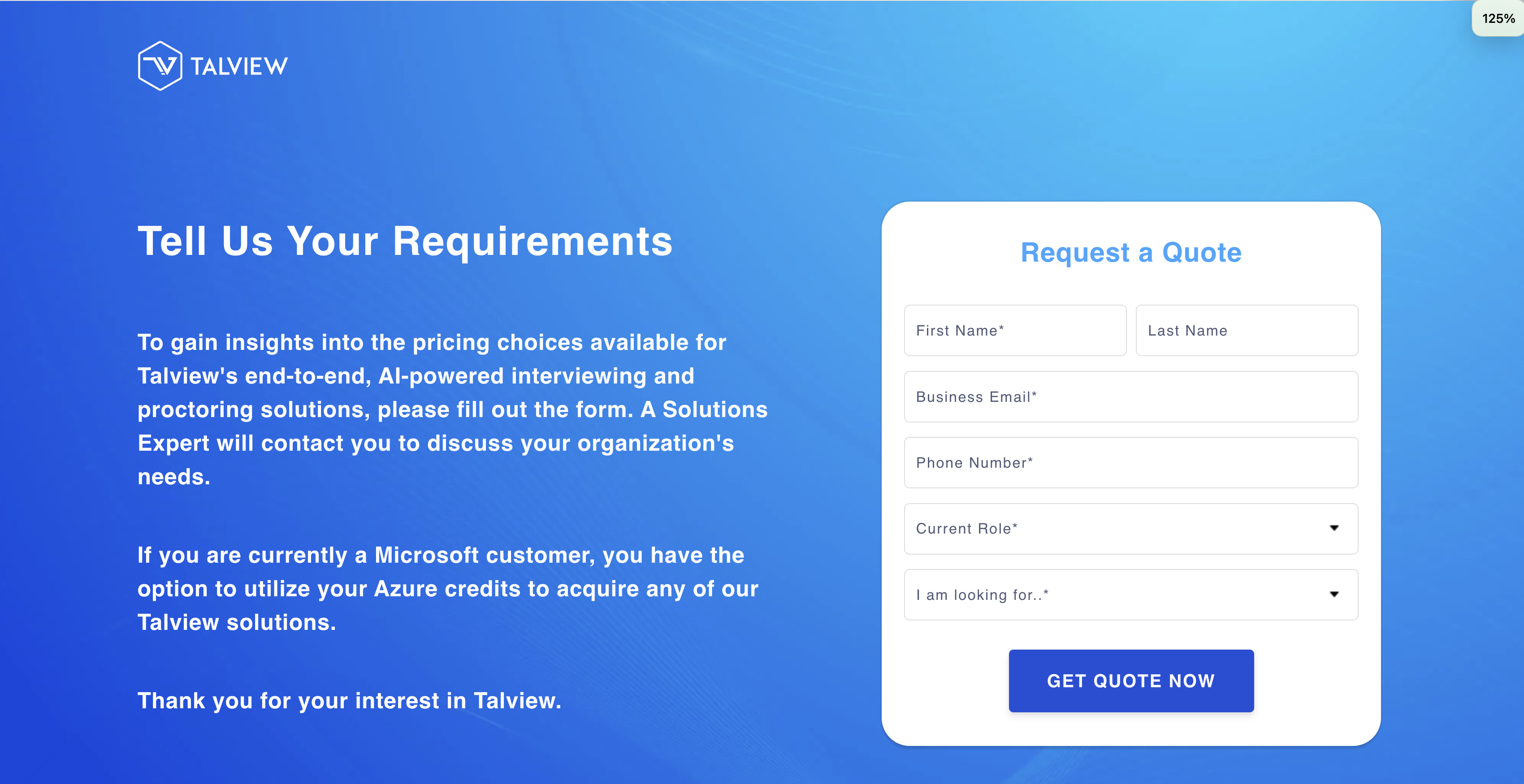
TalView does not offer transparent pricing on their website. You'll need to contact their sales team to get a quote. They also do not offer a free trial. This lack of pricing transparency makes it difficult to quickly assess if it fits your budget. For straightforward and transparent Adaface Assessments Pricing, check us out.
7. TestGorilla: Large Test Library
TestGorilla comes with a large library of pre-made tests, making it a popular choice for quickly assessing candidates. Let's take a closer look.
Why we picked TestGorilla
TestGorilla is primarily used for skills assessment, offering a range of tests across various domains. Recruiters can use it to screen candidates based on skills like aptitude, personality, and job-specific knowledge. It helps hiring teams filter applicants early in the hiring process.
TestGorilla's pre-built tests allow recruiters to assess a wide range of skills. The platform aims to provide a quick way to evaluate candidates, using its extensive test library for initial screening.
Key Features of TestGorilla
- Ready-made Tests: Large library of tests across various skill domains.
- Candidate Screening: Helps filter talent pool with structured assessments.
- Proctoring: Offers webcam and IP proctoring to deter cheating.
Pros of TestGorilla
- Wide range of tests: Large library covering diverse skills and roles.
- Easy to use: Simple interface for creating and sending assessments.
- Good proctoring features: Offers webcam and IP monitoring to prevent cheating.
- ATS integrations: Integrates with applicant tracking systems to streamline workflow.
Cons of TestGorilla
- Limited Customization: Lacks the ability to deeply customize questions to match specific use-cases.
- No AI assessment tests: Does not have assessments for niche skills like AI. Aptitude Tests For Employment | Adaface are a thing.
- No Excel Simulation Questions: Does not support coding and excel questions.
- Limited API Support: Lacks custom API for enterprise integrations.
Pricing of TestGorilla
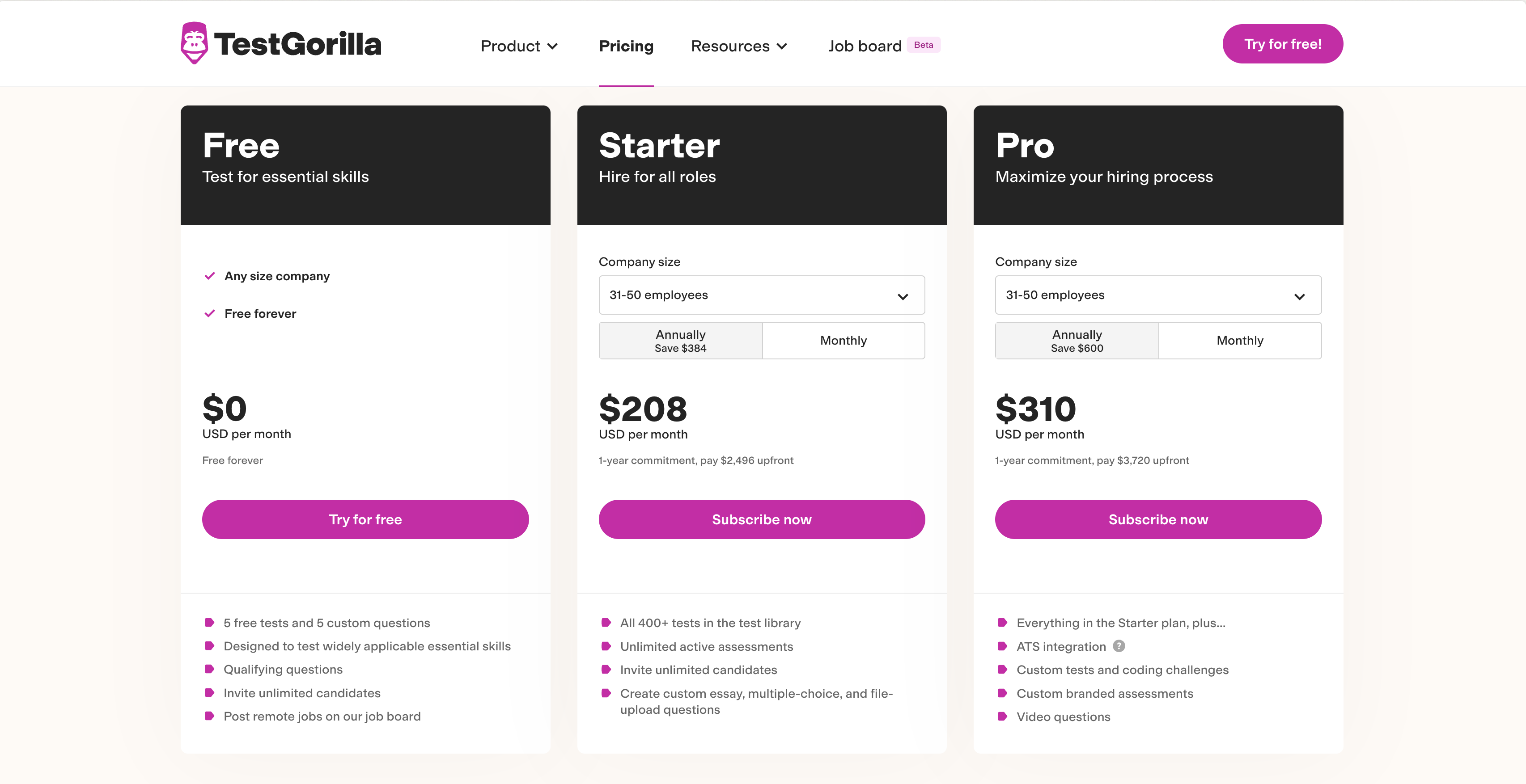
TestGorilla's pricing scales with company size and offers different tiers with varying features. They have a free trial. For smaller companies (1-15 employees), the Individual plan starts from $75 per month (billed annually). For larger organizations, pricing varies. Contact TestGorilla for enterprise pricing.
8. HireVue: Video Interviewing at Scale
HireVue is well-known for its video interviewing platform, often used by large organizations to screen candidates at scale. Let's take a closer look at what it offers.
Why we picked HireVue
HireVue primarily focuses on video interviews, using AI to analyze candidate responses. It's designed to streamline the initial screening process, helping recruiters quickly filter through a high volume of applicants.
The platform offers a structured interview format, ensuring each candidate is asked the same questions. This standardization aims to reduce bias and improve the fairness of the hiring process.
Key Features of HireVue
- On-demand video interviews
- AI-driven candidate analysis
- Structured interview formats
Pros of HireVue
- Strong focus on video interviewing
- Good for high-volume screening
- Integrates with many ATS systems
- Offers mobile-friendly assessments
Cons of HireVue
- Limited ability to add custom questions
- Lacks coding questions and excel simulation questions
- No support for situational judgment tests
- Focus on video might not suit all roles or candidates
Pricing of HireVue
HireVue doesn't publicly list its pricing. You'll need to contact them directly for a quote. This lack of transparency can make it difficult to quickly assess whether it fits your budget.
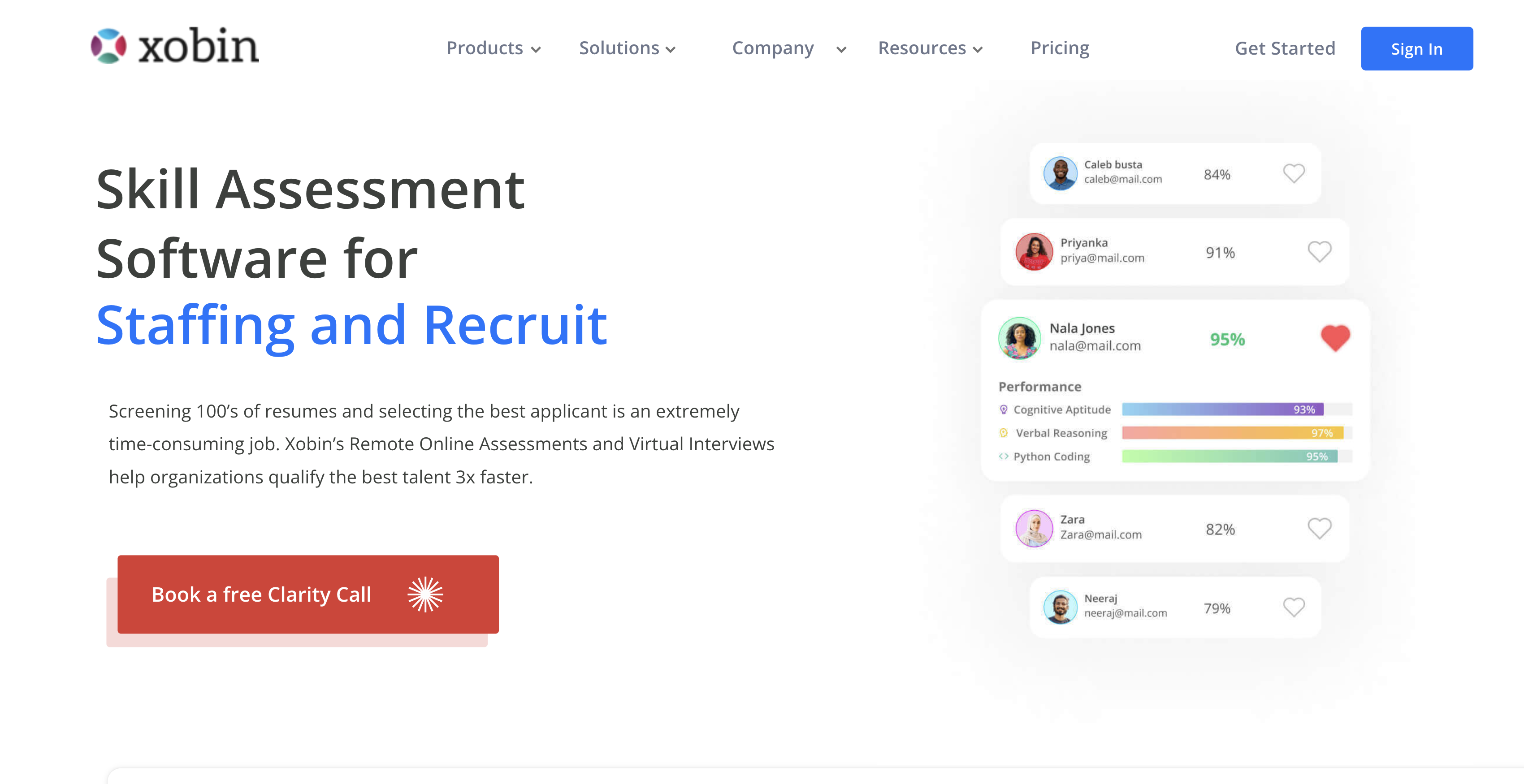
9. Xobin: Enterprise-grade assessment platform
Let's explore Xobin. This platform provides a suite of assessment tools for various hiring needs, aiming to streamline the recruitment process for larger organizations.
Why we picked Xobin
Xobin's primary use case revolves around skills assessment and recruitment automation. It offers a range of pre-employment tests designed to evaluate candidates across different skill sets. The platform allows recruiters to create and administer assessments, analyze results, and make data-driven hiring decisions.
Xobin helps in initial candidate screening to identify individuals who possess the skills and qualifications required for specific roles. Recruiters can also leverage Xobin's analytics to gain insights into candidate performance, identify top talent, and improve overall hiring outcomes.
Key Features of Xobin
- Ready-made tests: Access to a library of pre-designed assessments for various roles.
- Proctoring: Offers webcam and window proctoring to prevent cheating.
- Custom test creation: Allows users to add their own questions to existing tests.
Pros of Xobin
- Wide range of tests: Covers aptitude, programming, personality, and more.
- Automated scoring: Saves time with automated scoring for certain question types.
- Integrations: Integrates with popular ATS platforms.
- Reporting: Provides excel and CSV reports.
Cons of Xobin
- Limited Customization: Doesn't support designing custom questions.
- No Language Assessments: Lacks assessments for testing language proficiency, unlike Adaface's language tests.
- No custom data location support: Does not provide an option for enterprise users to be able to have their data in their own country for security and local laws.
- No unlimited team seats: Charges for team seats which may inflate prices for bigger companies.
Pricing of Xobin
Xobin does not openly display its pricing. Interested users need to sign up for a demo to receive pricing information. This lack of transparency can make it harder to quickly evaluate if it fits your budget. No free trial is offered.
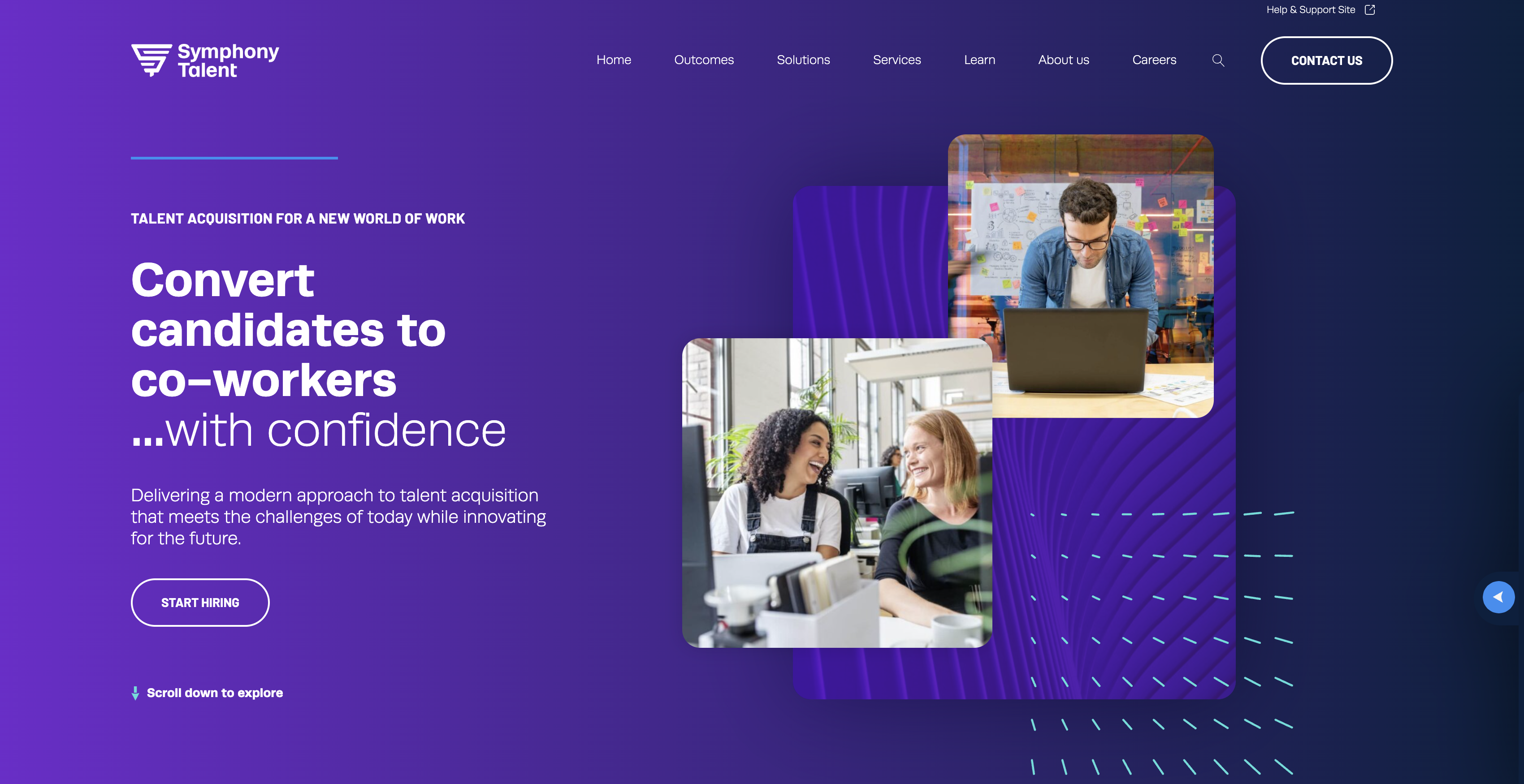
10. Symphony Talent: For Marketing-Focused Hiring
Symphony Talent merges recruitment marketing and talent acquisition into one platform. Let's explore its capabilities and see if it aligns with your assessment needs.
Why we picked Symphony Talent
Symphony Talent aims to help companies attract, engage, and hire top talent through branding and marketing strategies. The platform combines CRM (Candidate Relationship Management) with recruitment technology, allowing businesses to create targeted campaigns and personalized candidate experiences. This can be valuable for organizations looking to strengthen their employer brand and improve candidate engagement.
Key Features of Symphony Talent
- Candidate Relationship Management (CRM)
- Recruitment Marketing Automation
- Career Site Builder
Pros of Symphony Talent
- Strong focus on employer branding.
- Integrates marketing and recruitment workflows.
- Offers personalized candidate experiences.
- Includes tools for building career sites.
Cons of Symphony Talent
- Lacks coding assessments to assess developer skills.
- Limited support for language, finance, AI, and cloud skill assessments.
- No conversational assessments leading to a less engaging candidate experience.
- Pricing might be scaled based on company size rather than usage potentially making it expensive for smaller teams.
Pricing of Symphony Talent
Symphony Talent's pricing isn't readily available. You'll need to contact their sales team to discuss your organization's needs and get a custom quote. There is no free trial to evaluate the platform.
Top Talent Assessment Tools with Custom Questions: The Verdict
Navigating the talent assessment landscape can feel like trying to find the one matching sock in a mountain of laundry. You've seen the contenders, each promising to streamline your hiring process and help you snag the best candidates.
But here's the thing: custom questions are the secret sauce. Generic tests might give you some data, but tailored questions let you dig deep and uncover the skills and knowledge that really matter for your specific roles. It's like having a bespoke suit made versus grabbing something off the rack.
While there are a number of tools to consider, including Adaface, iMocha, and HackerRank, the tool you pick depends on your usecase.
So, whether you're a startup trying to build your dream team or an enterprise revamping your hiring strategy, remember to look for the tool that offers customizable assessments.
- Adaface offers a unique edge with its custom questions, allowing you to design assessments tailored to your specific needs and job descriptions. Also, Adaface has non-googleable questions and custom coding questions support which many other tools don't have. It also provides a free trial to explore all the features.
- iMocha provides a wide range of tests, from aptitude to technical skills, but lacks custom question creation, limiting the depth of personalization.
- Codility focuses primarily on coding skills, offering coding questions but missing the breadth of assessment types some roles demand. Their tests also tend to be longer taking upto 2 hours for completion.
- HackerRank is another coding-heavy platform with a strong reputation in the tech world, but lacks support for non-IT roles.
- Coderbyte provides coding challenges and assessments, yet it doesn't integrate with ATS systems which might be a overhead for enterprises.
- Talview offers a suite of talent solutions, including assessments, but the ability to add custom questions is not clear, and most tests can only be taken on desktop.
- TestGorilla has a large test library covering various skills, but lacks the ability to create custom questions. Also, there have been complaints of their questions being easily answered by GPT tools.
- HireVue uses video interviews and assessments, focusing on soft skills and personality, but it does not support custom questions or coding tests.
- Xobin provides a range of assessments, but lacks custom question creation. Pricing isn't public and requires signing up for a demo.
- Symphony Talent is a marketing-focused platform that does offer custom questions, but lacks support for coding tests and is not mobile-friendly. Also, they don't have ATS integrations.
Ready to take your hiring to the next level? Give Adaface's online assessment platform a try and see the difference that custom questions can make.
40 min skill tests.
No trick questions.
Accurate shortlisting.
We make it easy for you to find the best candidates in your pipeline with a 40 min skills test.
Try for freeRelated posts

Join 1200+ companies in 80+ countries.
Try the most candidate friendly skills assessment tool today.


40 min tests.
No trick questions.
Accurate shortlisting.
No trick questions.
Accurate shortlisting.